
JupyterLite Officially Joins Project Jupyter!

We are thrilled to announce that JupyterLite is now an official part of Project Jupyter. This milestone marks a significant step forward for interactive computing in the browser and strengthens JupyterLite’s role within the Jupyter ecosystem.
What is JupyterLite?
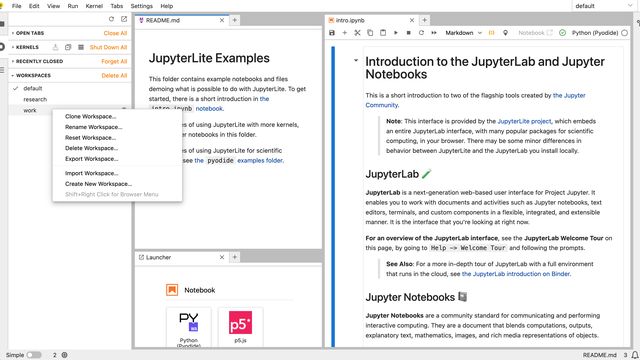
JupyterLite is a JupyterLab distribution that runs entirely in your web browser. Kernels execute directly in the browser using WebAssembly, eliminating the need for an application server. This means:
- Instant access: Start computing with a single click: no prior Python setup, environment configuration, or server management required.
- Scalability: Host thousands of concurrent users from a static website (e.g., GitHub Pages) with zero per-user server costs.
- Privacy and portability: Code and data remain in the user’s browser, making it ideal for embedding in documentation, tutorials, and interactive demos.
JupyterLite greatly expands the options available in the Jupyter ecosystem for education, documentation, and demos, where reducing friction is critical.
As Brian Granger reminded us during his JupyterCon 2025 keynote, Jupyter’s mission is “to empower people of all backgrounds to think, collaborate, and share knowledge using computational storytelling.” From this perspective, JupyterLite is a logical and key next step to take, letting Jupyter take advantage of the impressive strides made in recent years by the WebAssembly/JavaScript ecosystem (in reach and capability) to advance this mission. JupyterLite is an excellent complement to other forms of accessing Jupyter (whether through a local Python installation or a hosted infrastructure service), that facilitates new use cases and lowers barriers in many others.
The Journey of JupyterLite
JupyterLite’s development began in 2021, led by Jeremy Tuloup at QuantStack. Over the past four years, it has benefited from the dedication of several other team members, Martin Renou, Trung Le, and Ian Thomas — as well as invaluable contributions from community members like Nick Bollweg and many others.
Beyond the JupyterLite repository, the project includes comprehensive tooling for creating in-browser language kernels based on xeus. These kernels support languages like Python, R, C++, GNU Octave, Lua, and SQLite, sharing the same codebase as their backend counterparts, developed by Thorsten Beier, Isabel Paredes, Johan Mabille, and Antoine Prouvost. These kernels are built upon the emscripten-forge software distribution for WebAssembly. The project also includes a Python kernel based on Pyodide, and kernels for JavaScript and p5.js. This architecture means that the same language-agnostic model for kernels that Jupyter pioneered over a decade ago, carries over to the WebAssembly world.
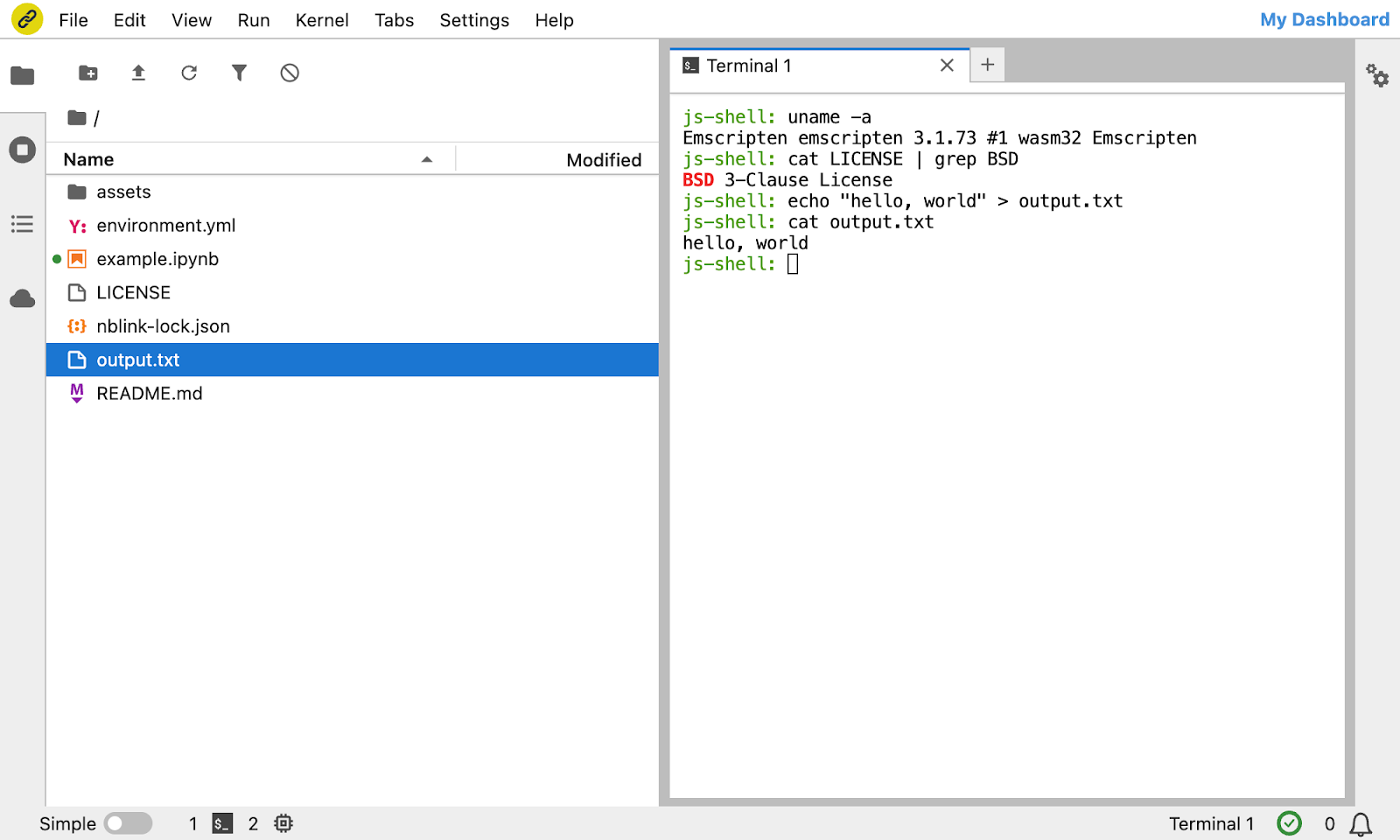
The JupyterLite GitHub organization also features the JupyterLite Terminal, a terminal and shell emulator that runs entirely in the browser and was developed by Ian Thomas. It enables the use of basic Unix commands like grep, sed, cat, touch, and even vim or nano, all built to WebAssembly.
JupyterLite now powers the official Jupyter website and is used by projects like numpy.org, sympy.org. It also underlies services such as Jupyter Everywhere and notebook.link.
A Natural Fit with JupyterLab
JupyterLite has always been closely tied to JupyterLab. It is increasingly becoming a set of JupyterLab extensions that replace core plugins to manage kernels, settings, and content in the browser. With contributors overlapping significantly with the Jupyter Frontends group, this integration formalizes what many in the community already recognized: JupyterLite is a core part of the Jupyter ecosystem.
The proposal to transfer JupyterLite to the Jupyter governance received strong support from the Jupyter community and by the Jupyter Frontends council.
Better integration with the rest of Jupyter
With JupyterLite now being an official part of Jupyter, it will be easier to find areas for better integration with other aspects of our ecosystem: we can reduce duplication, smooth out the documentation and model for creating and using both “traditional” (server-hosted) and WebAssembly kernels, and make JupyterLite a natural instant-access component of MyST/JupyterBook-based sites, and more.
Mission-wise, JupyterLite is a natural next step for Jupyter, and having it be an official part of the project makes it much easier for the community to integrate its benefits throughout. We hope you’ll try it, use it and contribute to its growth!
Try it in your browser
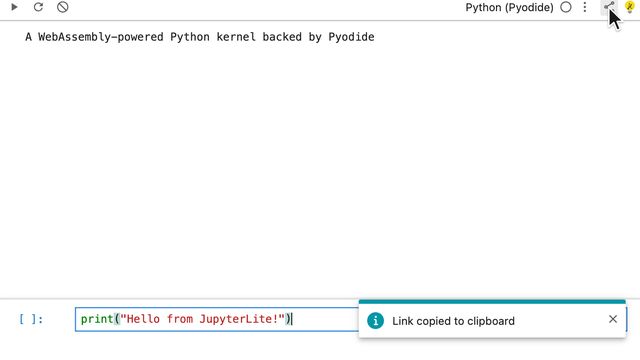
If you would like to try JupyterLite in your browser, click on the following link:

Acknowledgments and team credits
JupyterLite’s success is thanks to the support of individuals and organizations who believed in its vision. This includes:
- QuantStack, for their continued investment in the project since 2021 and the broader Jupyter ecosystem,
- Bloomberg, for funding improvements to JupyterLite by QuantStack since 2023,
- The Gates Foundation, for funding the development of the xeus-R kernel and its port to WebAssembly,
- The Pyodide project, whose pioneering work on Python in the browser via WebAssembly made JupyterLite possible.
Key developers to this stack include:
- Jeremy Tuloup (Director at QuantStack, creator of JupyterLite, and JupyterLab maintainer),
- Nicholas Bollweg (JupyterLite maintainer and #2 all-time committer),
- Martin Renou (Director at QuantStack, JupyterLite maintainer, responsible for integrating xeus with emscripten-forge, and creator of JupyterLite-Sphinx),
- Thorsten Beier (Software developer at QuantStack, lead developer of emscripten-forge, and xeus-lite),
- Isabel Paredes (Software developer at QuantStack, led the packaging of R and GNU Octave in Emscripten-forge),
- Anutosh Bhat (Software developer at QuantStack, C++ kernel in the browser),
- Ian Thomas (Software developer at QuantStack, creator of the JupyterLite terminal, and the cockle shell emulator),
- Johan Mabille (Director at QuantStack, creator of xeus),
- Agriya Khetarpal (Pyodide contributor, JupyterLite-Sphinx maintainer),
- Albert Steppi (JupyterLite-Sphinx maintainer).
Thank you for being part of this journey, we cannot wait to see what you build with JupyterLite!
— this post was coauthored by Jérémy Tuloup, Sylvain Corlay, and Fernando Pérez