
JupyterLite 0.7 is released! 🎉
JupyterLite is a Jupyter distribution that runs entirely in the web browser without any server components. Deployment and hosting are easy as JupyterLite sites are just static websites.
The new 0.7 release includes a number of new features, bug fixes, and enhancements. This release also brings significant improvements to the user experience and new customization options for JupyterLite deployments.
Workspace Support
Support for workspaces is now available in JupyterLite. Workspaces allow you to organize your notebooks and files into separate workspace environments, making it easier to switch between different projects or contexts.
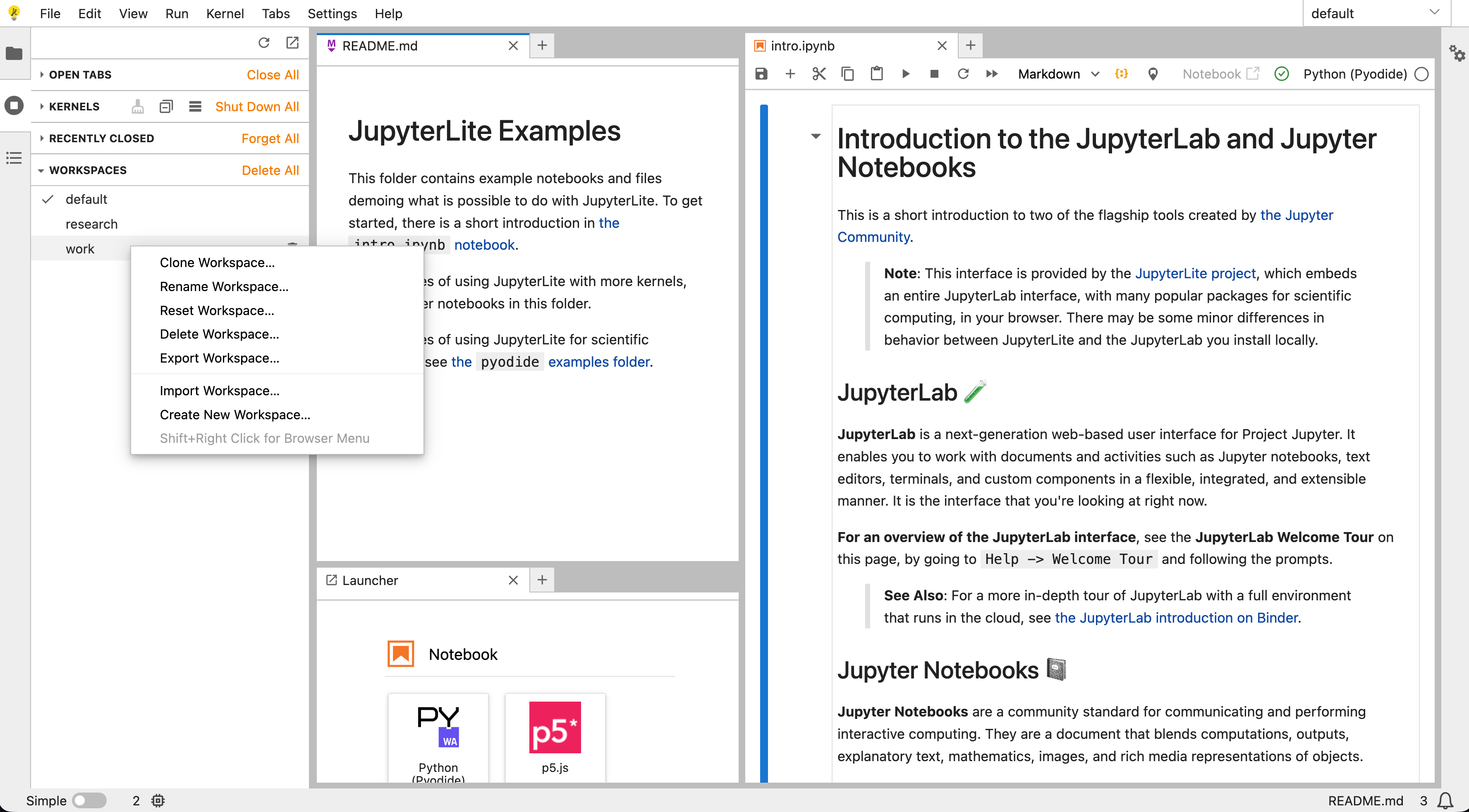
The UI layout is also now automatically persisted across sessions. When you return to JupyterLite, your panel arrangements, open files, and workspace configuration will be restored exactly as you left them.
Audio and Video Playback
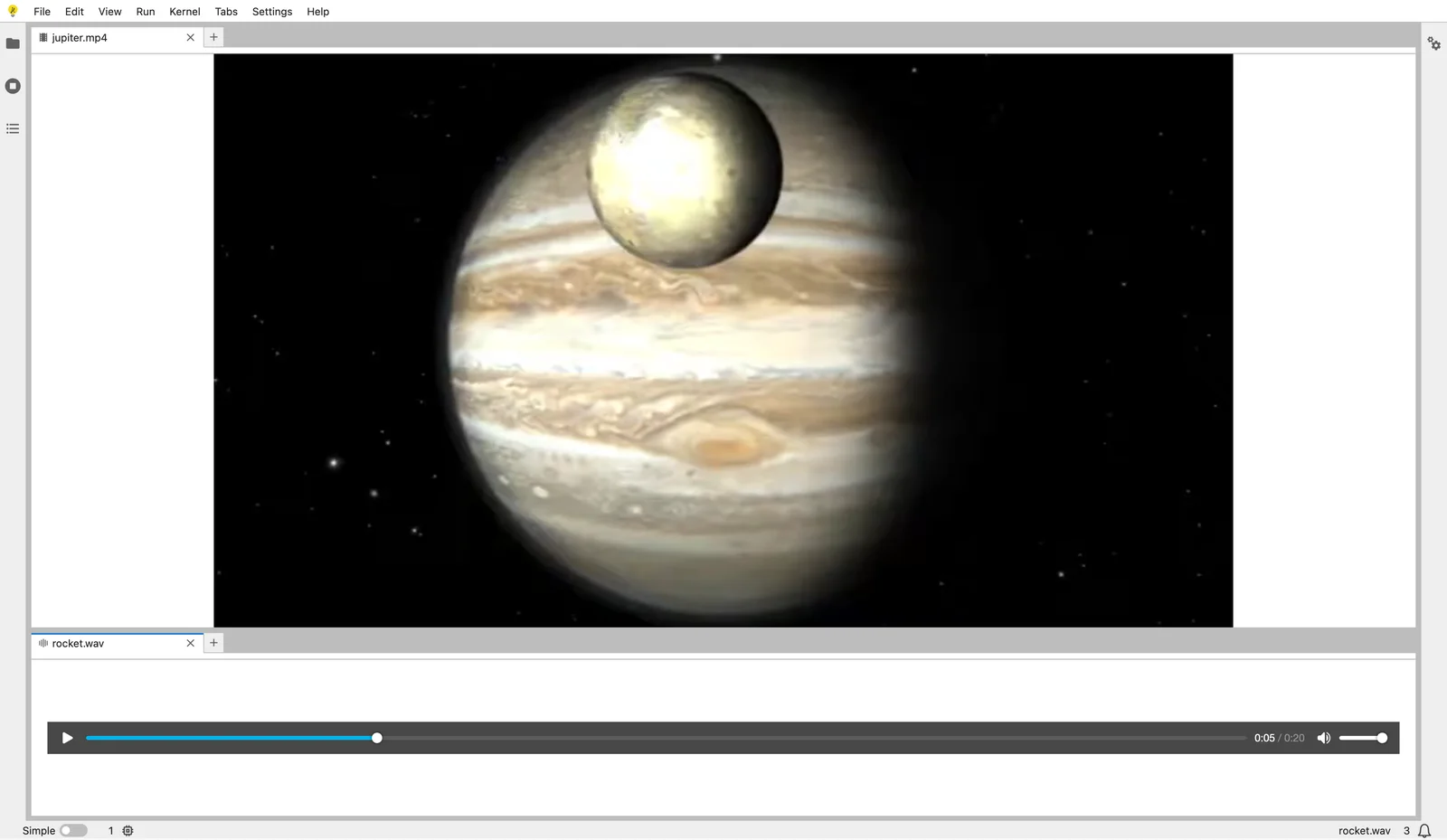
JupyterLite now includes built-in audio and video viewers, allowing users to open audio and video files directly from within the UI.
Basic Interrupt Functionality
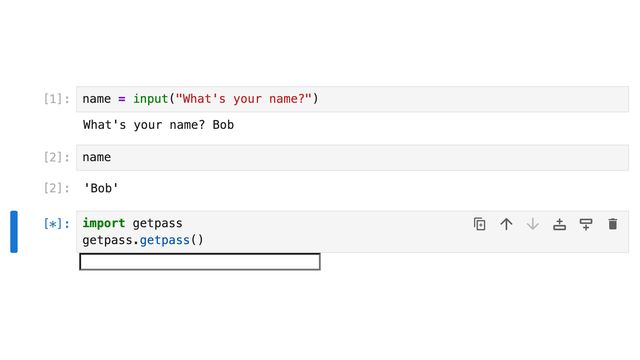
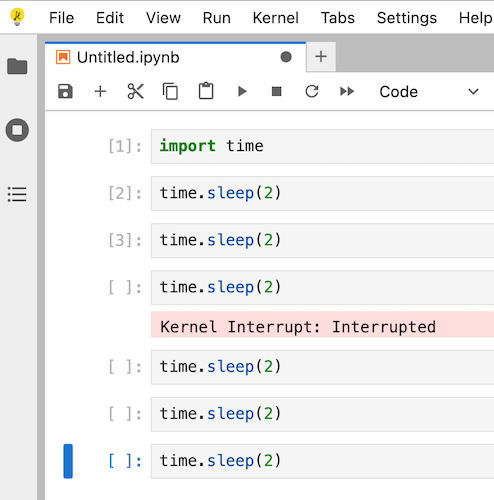
The interrupt button now cancels the execution of cells that are scheduled to run after the currently executing cell. While this doesn’t interrupt the currently running cell itself, it provides better control when executing multiple cells in sequence.
Basic Notebook Export
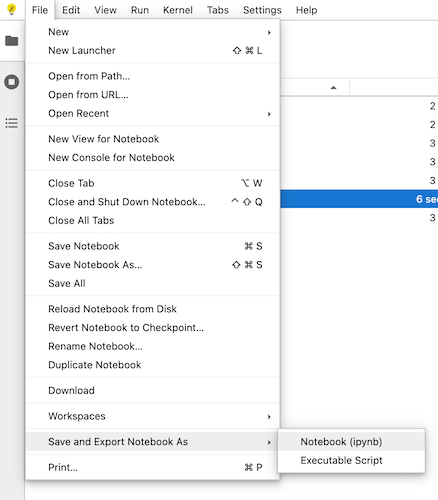
JupyterLite now includes basic notebook export functionality through a custom export plugin. Users can export notebooks to different formats including .ipynb (notebook format) and script formats directly from the File menu.
Additionally, JupyterLite provides extension points for third-party extensions to register custom exporters. This enables the development of additional export formats, such as PDF, in future extensions.
Note: there is currently no built-in support for PDF export, but this may be added in the future via a third-party extension.
File Menu Download Option
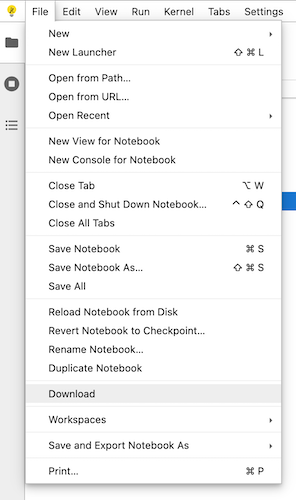
A download entry has been added to the File menu, making it easier to download files from your JupyterLite environment.
Enhanced Markdown Support
Markdown cells now support displaying base64-encoded images stored in the browser’s local storage. This makes it easier to include images in your notebooks without requiring external hosting or network access.
JupyterLab 4.5 and Notebook 7.5
JupyterLite 0.7.0 is built on top of JupyterLab 4.5.0 and Notebook 7.5.0, and brings many of the respective improvements and bug fixes. Check out the announcement post to learn more about these new releases.
JupyterLab 4.5 notably includes significant notebook performance improvements, such as the new optimized cell rendering with the new contentVisibility windowing mode.
Walkthrough video
For a more interactive tour of the new features, watch the video below:
Try it in your browser
If you would like to try the new release in your browser, click on the following link:

Acknowledgments
Thanks to Bloomberg for funding the work on JupyterLite at QuantStack, and for their ongoing support for JupyterLite in general.
Many thanks to all the contributors to JupyterLite. The list below is based on GitHub usernames for the 0.7.0 release:
- New contributors: @rgaiacs, @tan-i-ham
- Returning contributors: @DerThorsten, @bollwyvl, @diegofcornejo, @ianthomas23, @jtpio, @krassowski, @martinRenou
Thank you to the extended group of contributors in Jupyter Frontends and related project in the Jupyter ecosystem 💛