
A Robotics Workbench for JupyterCAD
A unified in-browser workflow from CAD to URDF kinematics
Robotics education often hits a wall before the fun even begins. Students and engineers must first navigate a labyrinth of installations: ROS, environment configurations, dependency management, and a patchwork of software, just to visualize a simple robot. It doesn’t have to be this way.
Thanks to Jupyter and its extensions, the entire process, from designing a robot to simulating its kinematics, can now happen entirely in the browser, in a single workspace with zero local installation.
The Problem: The Fragmented Robotics Pipeline
Traditionally, creating a robot model involves dealing with three distinct, often incompatible worlds:
- Parametric Design: Creating the shapes in dedicated CAD software (FreeCAD, SolidWorks, and the like).
- Mesh Generation: Exporting those solid bodies into triangular meshes (STL) while manually managing the coordinates and file paths.
- Kinematic Description: Writing URDF (Unified Robot Description Format) XML that ties the meshes together using joints and other parameters.
Getting this pipeline working locally typically requires a complete ROS installation, a source of friction for students and educators.
The Solution: A Unified Browser Workflow
By leveraging the JupyterCAD and JupyterLite, this entire toolchain is delivered as an instant, zero-install workspace in the browser. It is made available on the notebook.link service.
1. JupyterCAD: The Design Hub
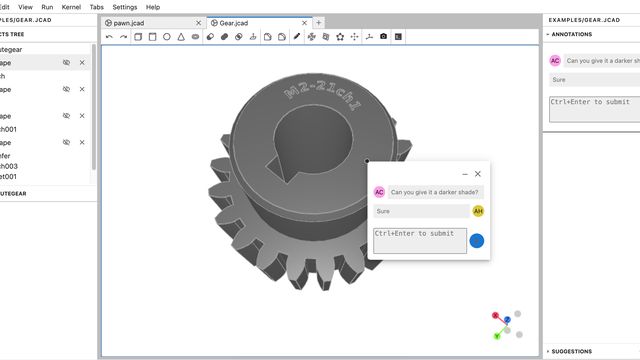
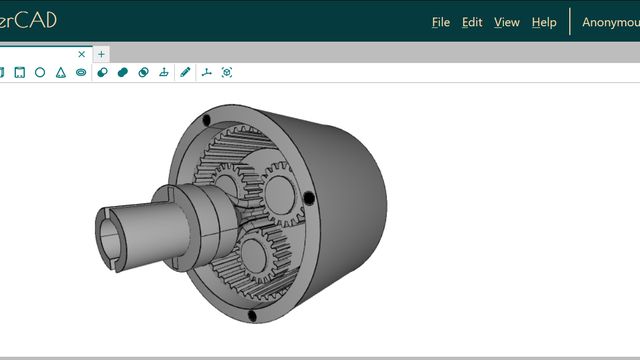
JupyterCAD is a JupyterLab extension for collaborative 3D modeling. It also supports FreeCAD files and offers a full set of tools for creating, transforming, and combining 3D shapes.
It can also export to various formats:
- STL/BREP: Users can simply right-click any shape and generate meshes directly in their browser.
- FreeCAD: Through the JupyterCAD-FreeCAD plugin, designs can move freely between the browser and desktop CAD (FreeCAD) without losing the feature tree, exporting back and forth between the .jcad and .FCStd formats.
2. JupyterCAD-URDF: The URDF Workbench for JupyterCAD
JupyterCAD-URDF is a JupyterCAD plugin for exporting CAD designs to the URDF format.
- It generates STL meshes automatically for complex shapes. For simple primitives (boxes, spheres, and cylinders), it emits XML tags instead of producing external mesh files.
- It produces a URDF XML document that references those meshes while preserving hierarchies, names, colors and placements.
3. JupyterLab-URDF: Interactive Kinematics
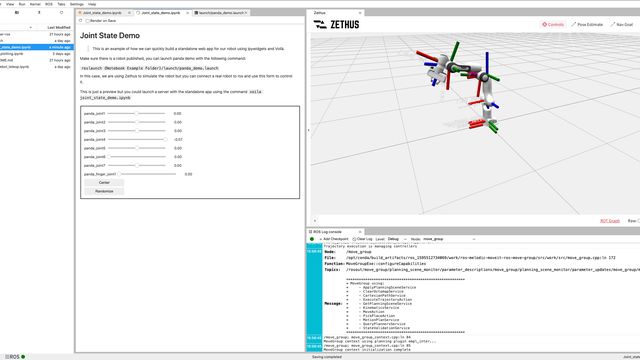
Once the model is exported, the JupyterLab-URDF extension, which can be used in JupyterLab independently of JupyterCAD, allows for inspection of the XML content as well as interactive 3D visualization:
- Real-Time Kinematic Articulation: Drag joint sliders to test degrees of freedom, joint limits, and coordinate hierarchies in real time.
- 3D Scene Controls: The control panel has several settings to customize the scene, such as coordinate frame helpers, lighting controls, mesh visibility, and other options.
- Joints Editor: An interface to define kinematic relationships (joints) between parts by selecting them directly in the 3D scene. This allows for creating new joints or editing existing ones.
Walkthrough: Zero-to-Robot Workflow
This new pipeline allows a student to go from a blank page to a moving robot:
Phase 1: CAD Modeling & Export (JupyterCAD + JupyterCAD-URDF)
- Design parametric parts in JupyterCAD.
- Export to URDF using JupyterCAD-URDF.
Phase 2: Assembly & Simulation (jupyterlab-urdf)
- Assemble the generated URDF in jupyterlab-urdf and use the Joints Editor to connect links.
- Simulate the robot movement using the joint sliders.
You can try it right now without any local installation thanks to the deployment on notebook.link, by following the link below.

Repos
All tools in this pipeline are free, open source, and available on GitHub, PyPI, npm, and Conda-forge:
Acknowledgements
This work was conducted at QuantStack as part of an effort to make 3D modeling and robotics accessible directly in web-native environments.
Special thanks go to everyone in the open-source community who made this possible, to Isabel Paredes, the creator and maintainer of the jupyterlab-urdf extension, to Le Duc Trung and Martin Renou, the main contributors to JupyterCAD, and to everyone else at QuantStack who helped with this project.
About the Author
Yahia Heni is a software engineer at QuantStack, focusing on the Jupyter Ecosystem, by contributing to Jupyter and several of its extensions, as well as notebook.link and other related open-source projects.