
Better sharing UX with nbgitpuller and contextual error handling
TL;DR
nbgitpuller now has improved UX context-aware error handling. Update to version 1.3.0 and let us know what you think by opening an issue 🚀
What is nbgitpuller?
nbgitpuller lets you distribute content to a Jupyter user via the click of a button! This allows your users to focus on the content without needing to understand git or other version control machinery.
nbgitpuller provides automatic, opinionated conflict resolution by using git under the hood. It is commonly used to distribute content to multiple users of a JupyterHub, though it works just fine on an individual person’s computer, if they have Jupyter installed.
Here’s an example of nbgitpuller in action:
- The author uses the nbgitpuller link generator to create a link.
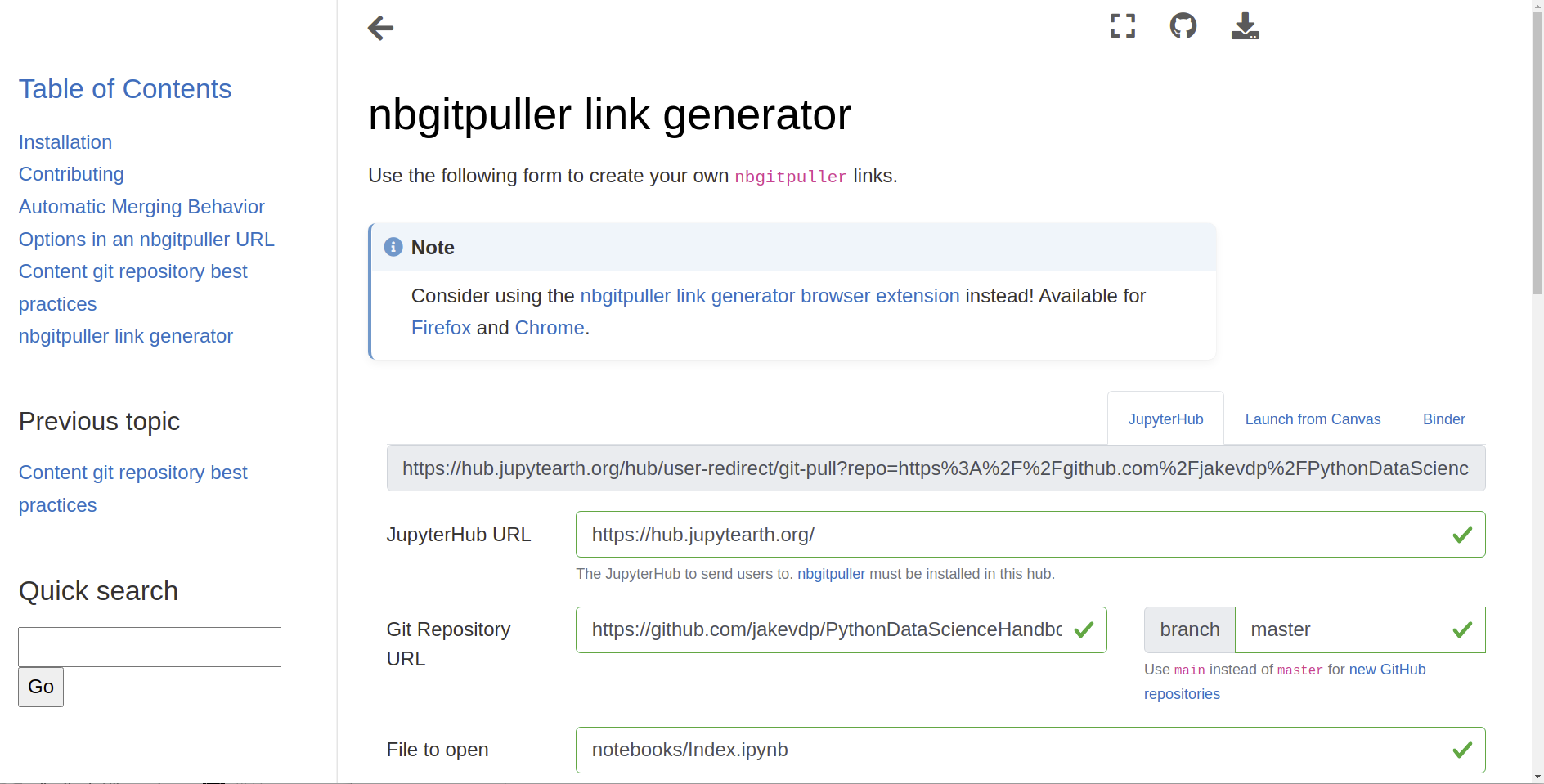
- The consumer clicks the link, and the content is pulled into a live Jupyter session.
Example use cases for sharing with nbgitpuller include:
- Interactive demos
- Workshop and training scenarios
- University exams
and many more!
How does nbgitpuller work?
The nbgitpuller package is installed in the compute environment. The compute environment now has a /git-pull endpoint URL that can understand where to pull content from using URL parameters. Syncing content critically depends on git operations to fetch, checkout, clone, merge, commit, etc.
When it goes wrong
Based on the data sent through by the kind folks running the Berkeley DataHub, there were 2163 logs available, of which:
- 983 (45%) were ‘merge’ conflicts
- 493 (23%) were ‘fetch’ errors
- 467 (22%) were ‘ls-remote’ errors
![Bar chart showing the most common errors users faced.]](https://jasongrout.github.io/medium-archive/pelican/posts/2026/better-sharing-ux-with-nbgitpuller-and-contextual-error/images/004-1_v1NGeWyH5Frl9QDJ2qed0Q.webp)
The remaining errors (10%) were mostly ‘checkout’ errors. This represents the most frequent errors as seen by students.
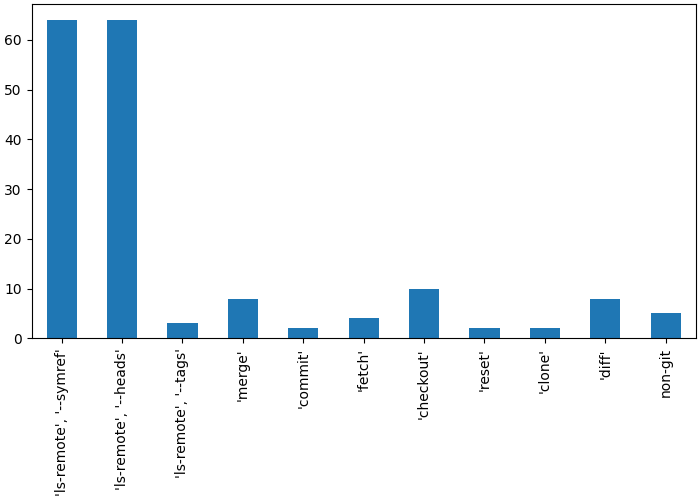
In the same set of logs, there were 172 unique errors: most ‘ls-remote’ errors come from mistakes in the content repo URL. This represents the most uniquely common errors made by instructors.
Merge conflicts
If the link author changes content after the consumer clicks a link, then nbgitpuller needs to sync updates for the consumer on subsequent link clicks. The nbgitpuller merging strategy makes opinionated choices so that the link consumer never has to interact with git, and will always preserve the consumer’s working changes.
Things can go wrong when
- Consumers can diverge the git history if they perform a git commit
- Authors can diverge the git history if they perform force push commits
Error UX (old)
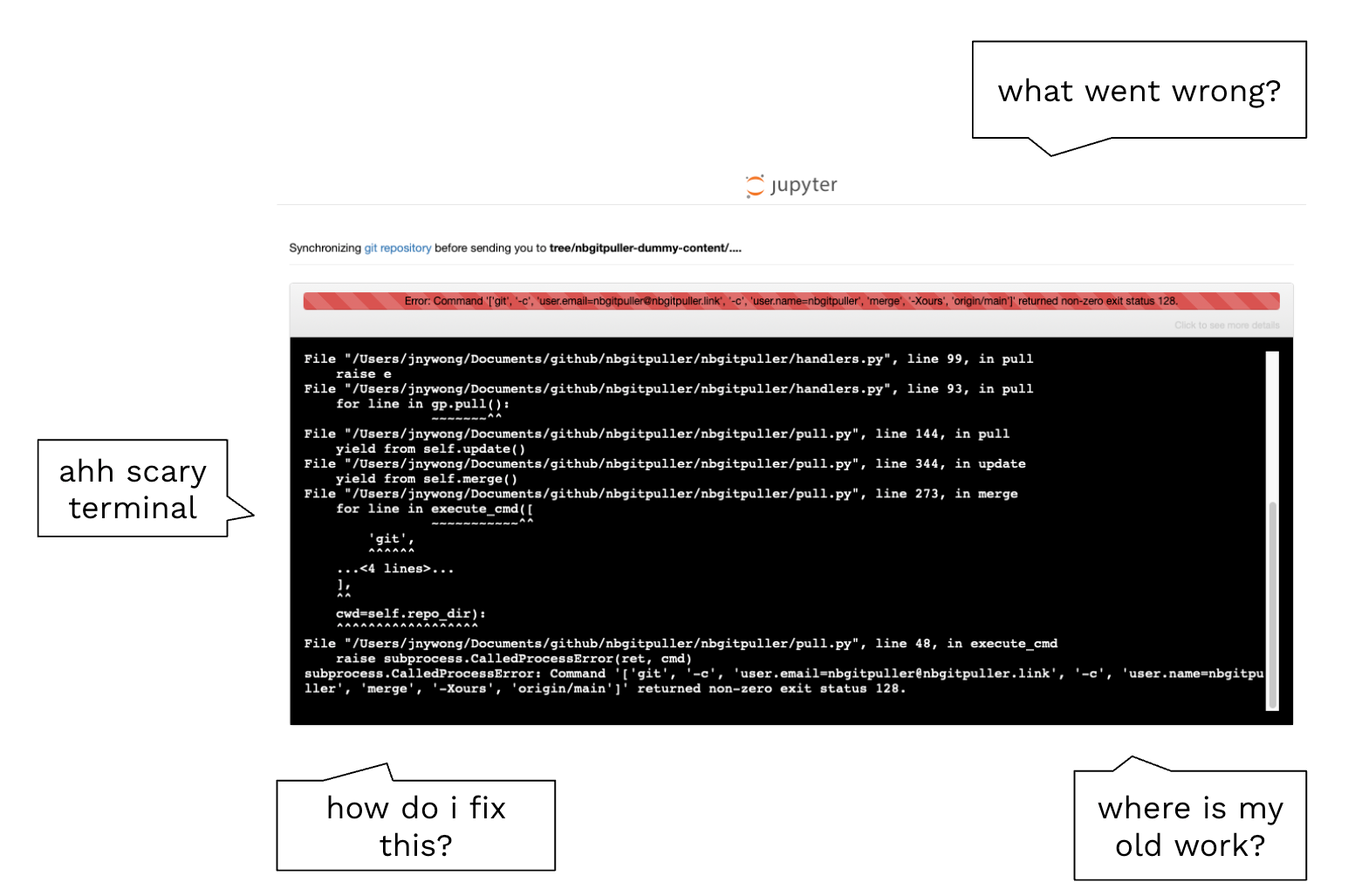
Problems with the old UX include:
- a scary terminal
- difficulty for the user to figure out what went wrong
- no suggestion for the user to fix the problem or a signpost to continue to the compute platform
Error UX (new)
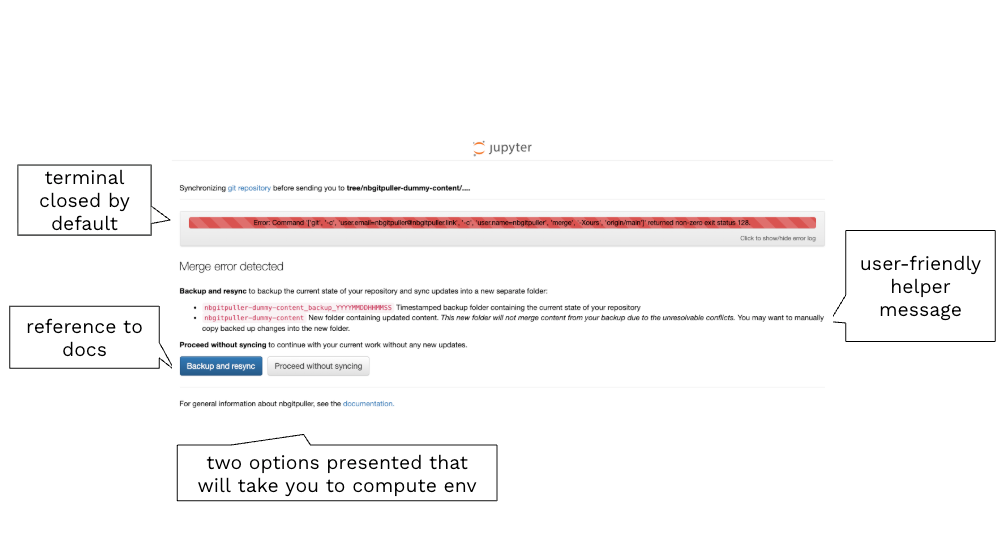
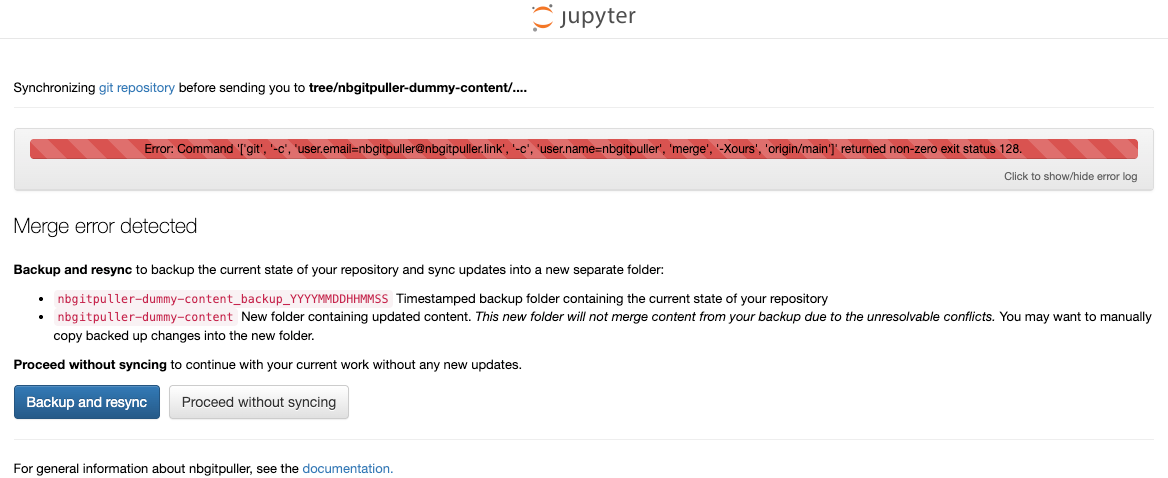
New improvements to the UX include:
- The terminal is closed by default, but you can optionally toggle it open
- There is a copy to clipboard button to easily share the error log from the terminal
- A more user-friendly and context-aware helper message is displayed
- A link to the general documentation for reference
- A ‘Proceed without syncing’ button takes the user to the compute platform without making any changes
- In the case of merge errors, an extra Backup and resync button option is presented
Learn more
Acknowledgements
- UC Berkeley and the CloudBank Classroom project
- CAL ICOR for co-funding this development work
- Eric Van Dusen and Sean Morris for championing this work
- Balaji Alwar for providing the error data and sharing feedback
- Nicolas M. Thiéry for feedback on the UX design
- cmarmo for contributing the ‘Backup and resync button’