
The templating system of nbconvert 6
One of the main changes in nbconvert 6 is the refactor of the template system, which should be easier to extend and build upon.
In this article, we dive into the template system, and provide a tutorial on how to build a custom template for nbconvert or Voilà.
From Classic to Lab
My notebooks look different!
If you are accustomed to convert notebook files to HTML by typing
jupyter nbconvert notebook.ipynb --to html
you may have noticed differences in the generated HTML when switching to the latest release of nbconvert. In fact, nbconvert now produces the same DOM structure as JupyterLab’s notebook implementation, which is styled with JupyterLab’s CSS.
One can even apply the dark theme:
jupyter nbconvert xleaflet.ipynb --to html --HTMLExporter.theme=dark
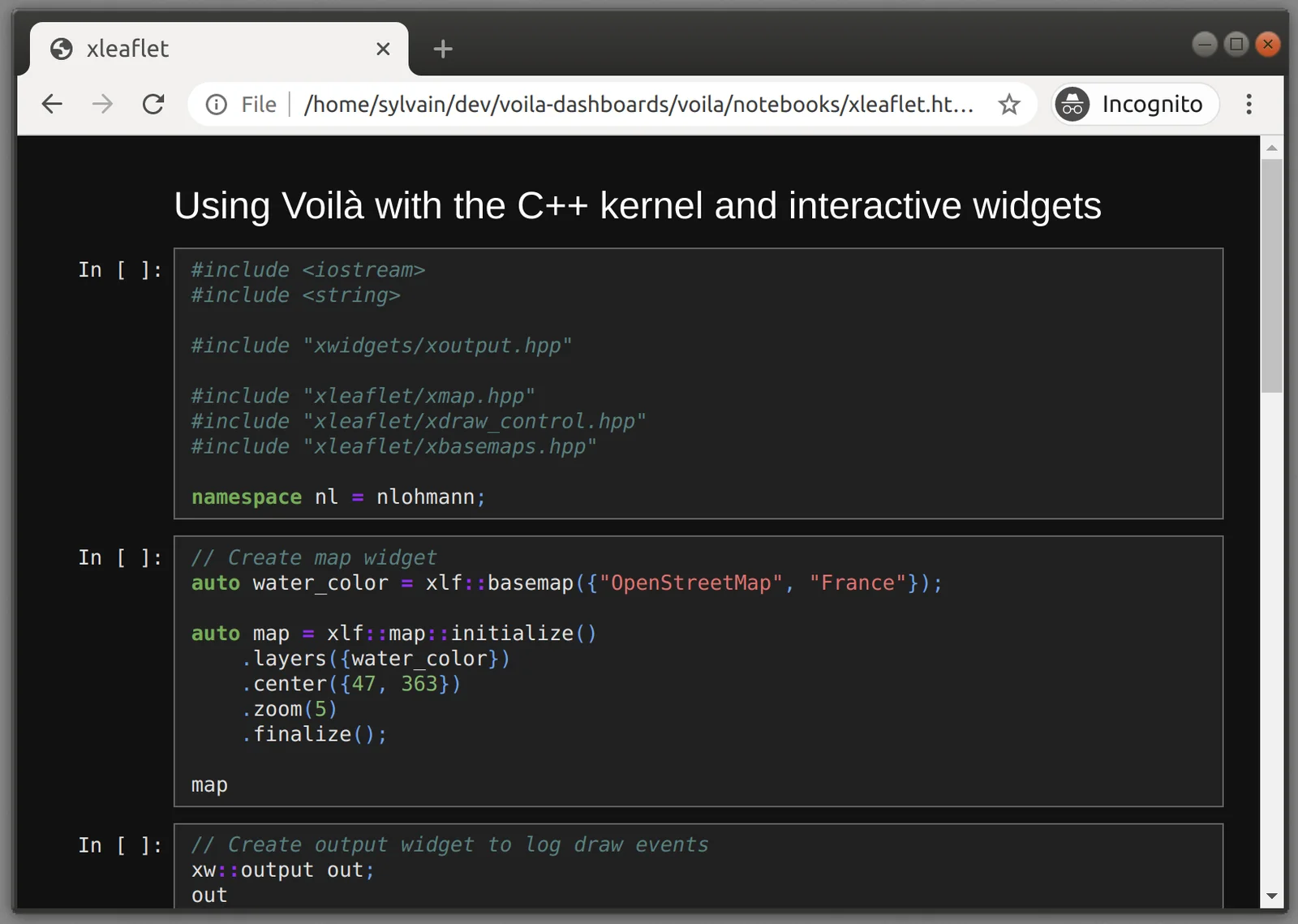
While JupyterLab uses CodeMirror to render code cells, nbconvert makes use of the Pygments library to produce syntax-colored static HTML. To mimick the JupyterLab CodeMirror styling, we created a Pygments theme called jupyterlab-pygments. JupyterLab Pygments uses JupyterLab’s CSS variables for coloring and will therefore reflect the theme that is applied to the notebook.
Note: at the moment, only the default light and dark themes are supported, but we plan on adding support for third-party JupyterLab themes after the release of JupyterLab 3, which introduces a new packaging system for extensions.
But I wanted my notebooks to look the same!
Well, if you want to retain the classic notebook styling that was used in earlier versions of CSS, it is still possible using the classic template.
jupyter nbconvert xleaflet.ipynb --to html --template classic
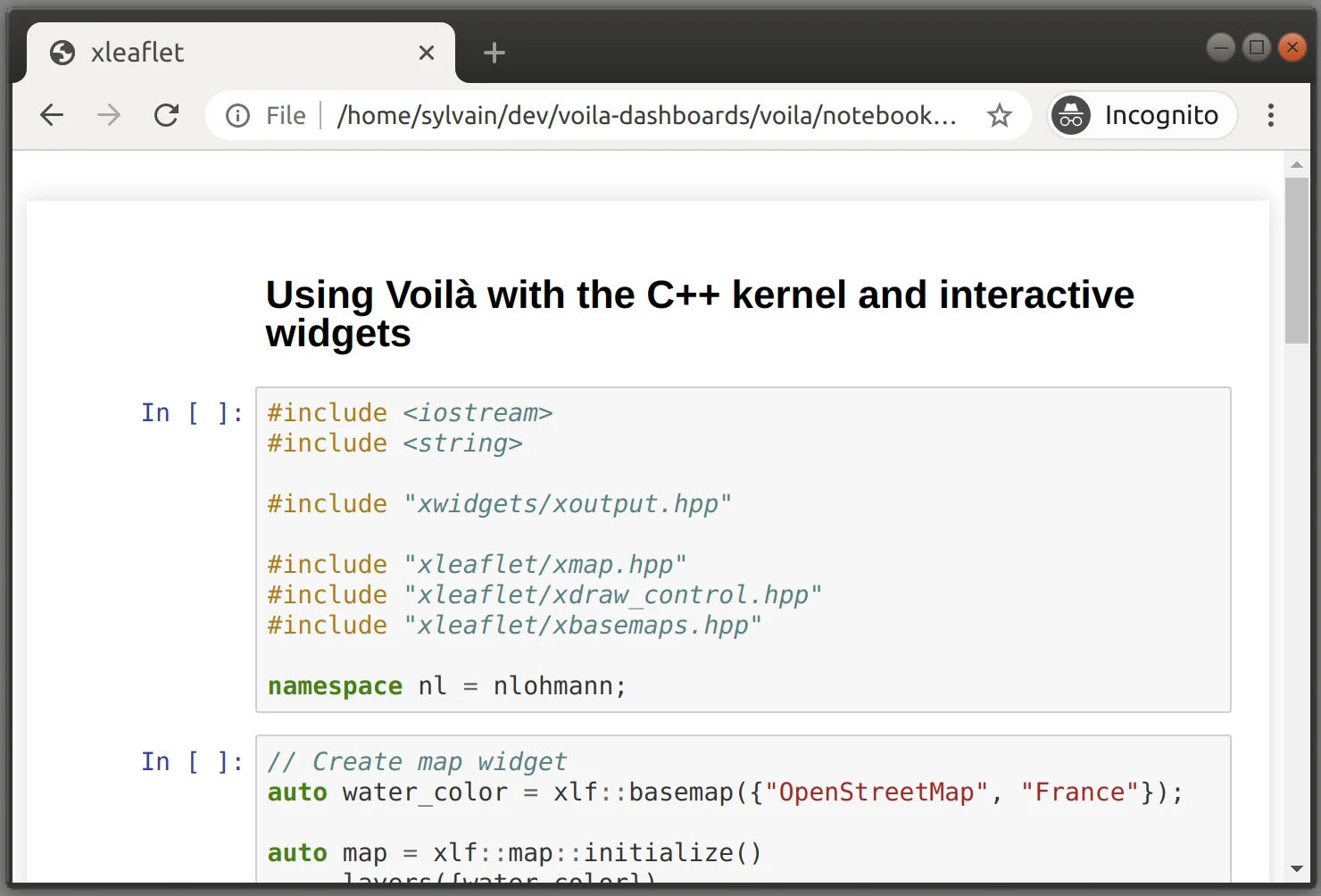
With this template, you retrieve the original style of nbconvert outputs and of the classic notebook.
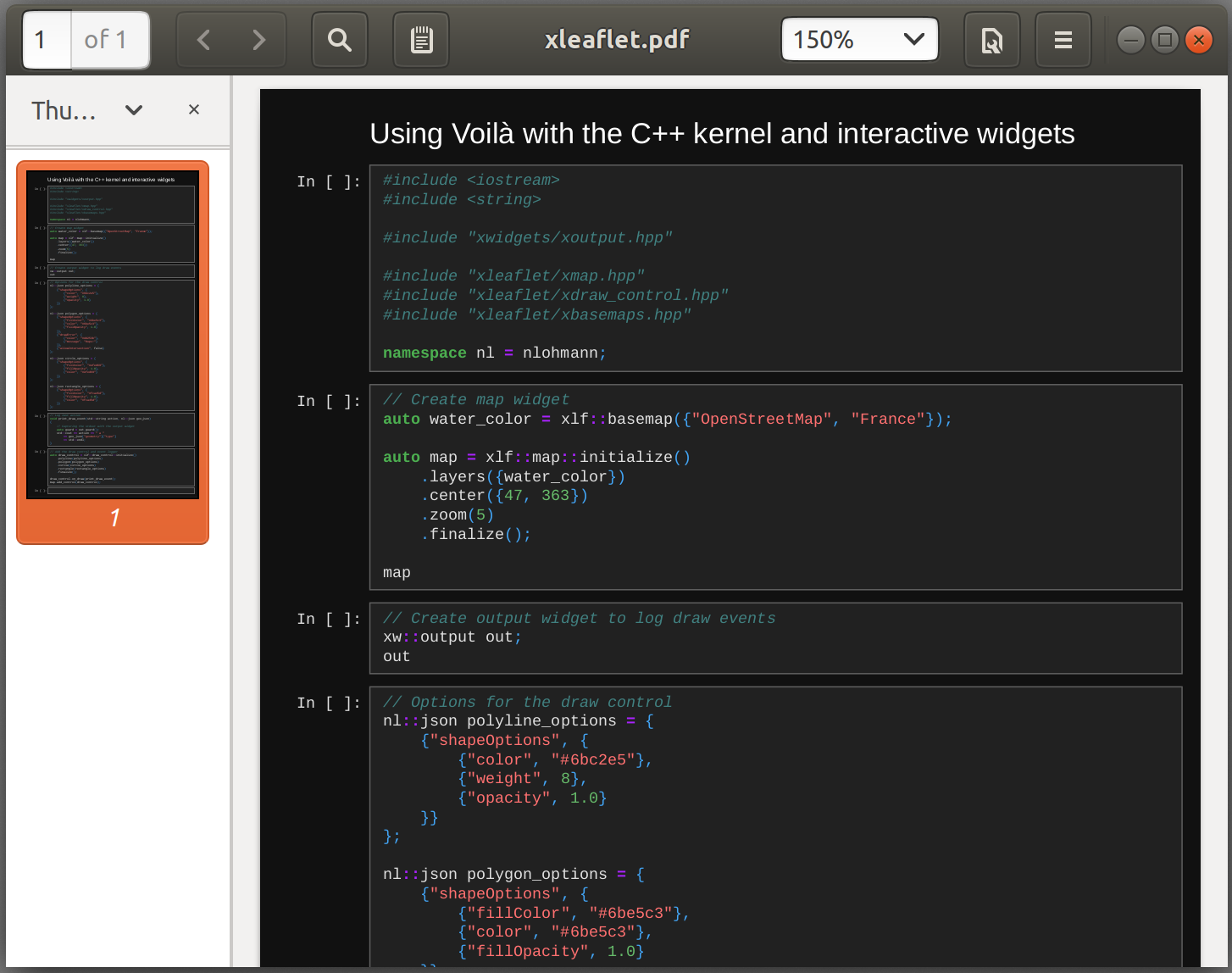
Another perk of the new nbconvert release is the WebPDF exporter. The WebPDF exporter supports the same templates and themes as the HTML exporter, and produces a PDF output that renders the same rich content as the HTML exporter, such as rich HTML tables, widgets etc.
jupyter nbconvert xleaflet.ipynb --to webpdf --HTMLExporter.theme=dark
Executing the notebook before rendering
Nbconvert’s two main categories of transformations are preprocessors and exporters. Preprocessors take a notebook as an input, and return a transformed notebook, while exporters return other types of content, such as HTML or PDF. An important preprocessor is the ExecutePreprocessor, which spawns a kernel for the notebook, execute all cells, and populate outputs.
It can be invoked before the export by passing --execute. For example, the xleaflet.ipynb notebook uses the xeus-cling C++ kernel and makes use of the xleaflet interactive widget, which can be displayed when converting to HTML or with the WebPDF exporter.
jupyter nbconvert xleaflet.ipynb --to html --execute
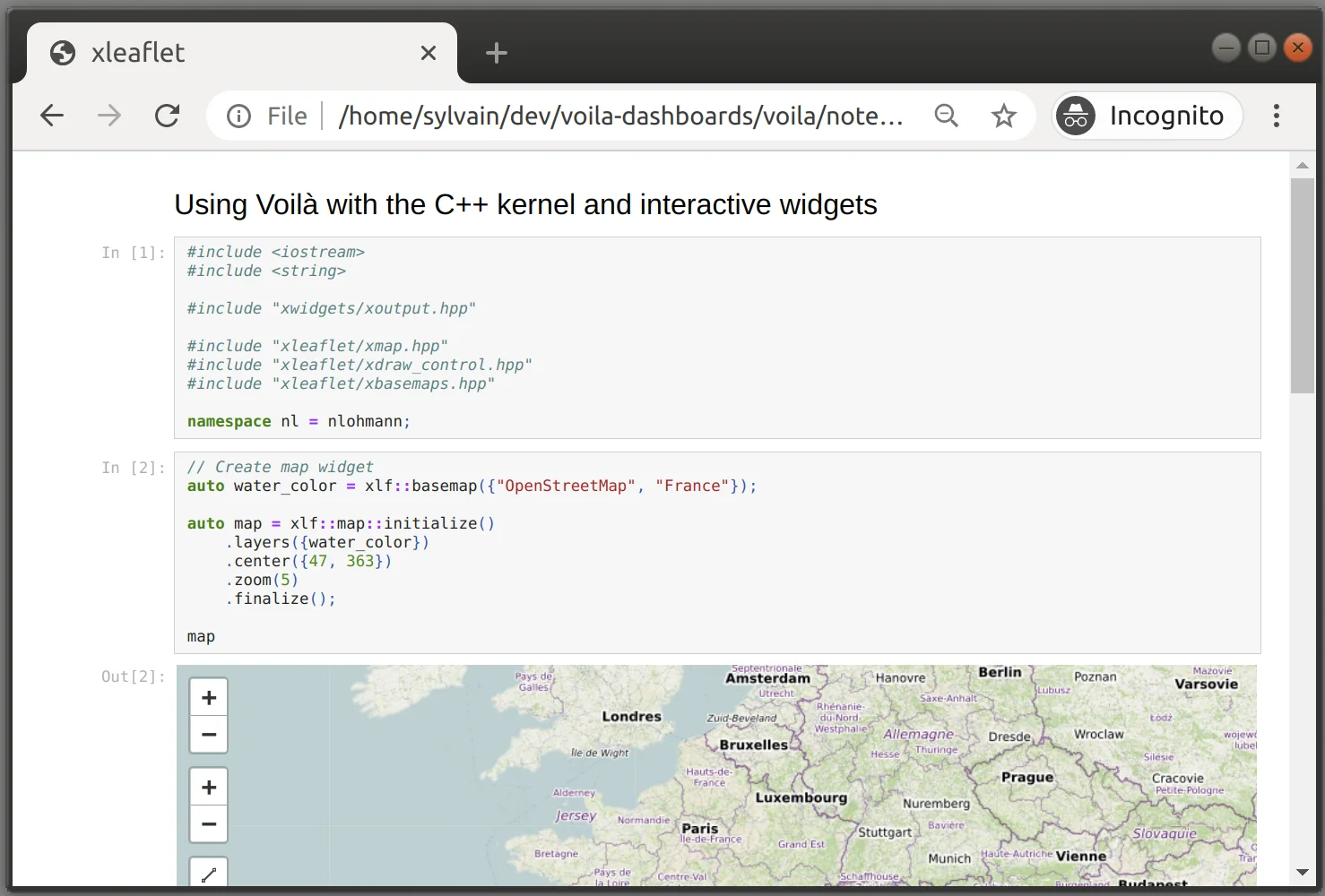
Similarly, the WebPDF exporter will also display interactive widgets!
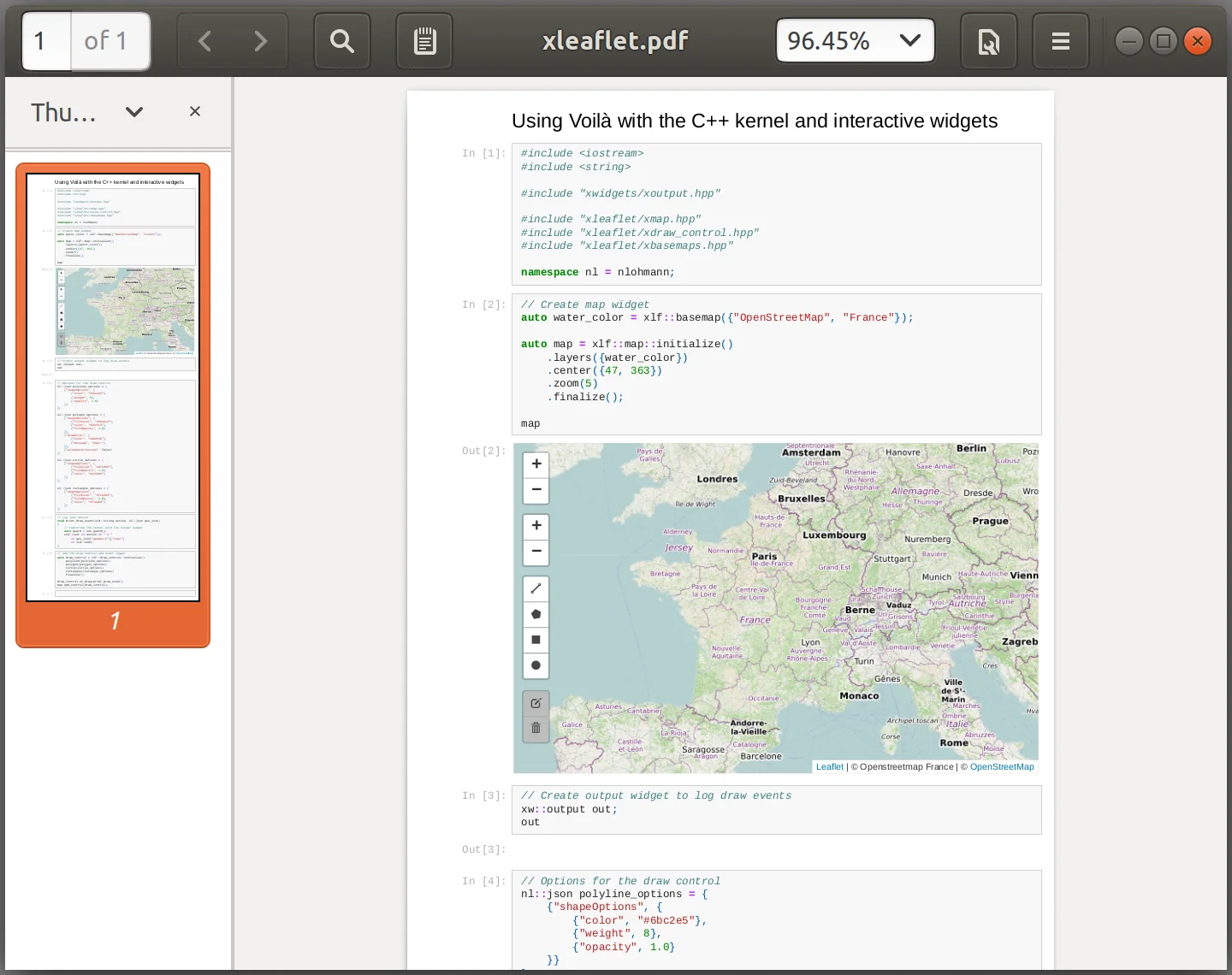
Note: Future plans for the WebPDF exporter include offering more options to users with respect to page breaks, and providing bookmarks for the main sections of the document.
Nbconvert templates
Unlike with earlier versions of nbconvert, templates are now directories, which may contain a jinja template but also other assets, such as macros, CSS files etc. The nbconvert template system also provides an inherittance mechanism which makes it simple to tweak existing templates in a derived one, by overriding bits of it.
Selecting a template
Most exporters in nbconvert are subclasses of TemplateExporter, and make use of jinja to render notebooks into the destination format. Nbconvert templates can be selected by name with the --template command line option.
For example, the reveal template, shipped with nbconvert, turns Jupyter notebooks into HTML slideshows using the RevealJS library. Which cells should be skipped, or where breaks betweens slides should be, are specified in the notebook cell metadata. The classic notebook and JupyterLab both provide means to set the appropriate values.
To select the reveal template, simply type:
jupyter nbconvert <path-to-notebook> --to html --template reveal
In the case of the xleaflet.ipynb notebook showed earlier, we get:
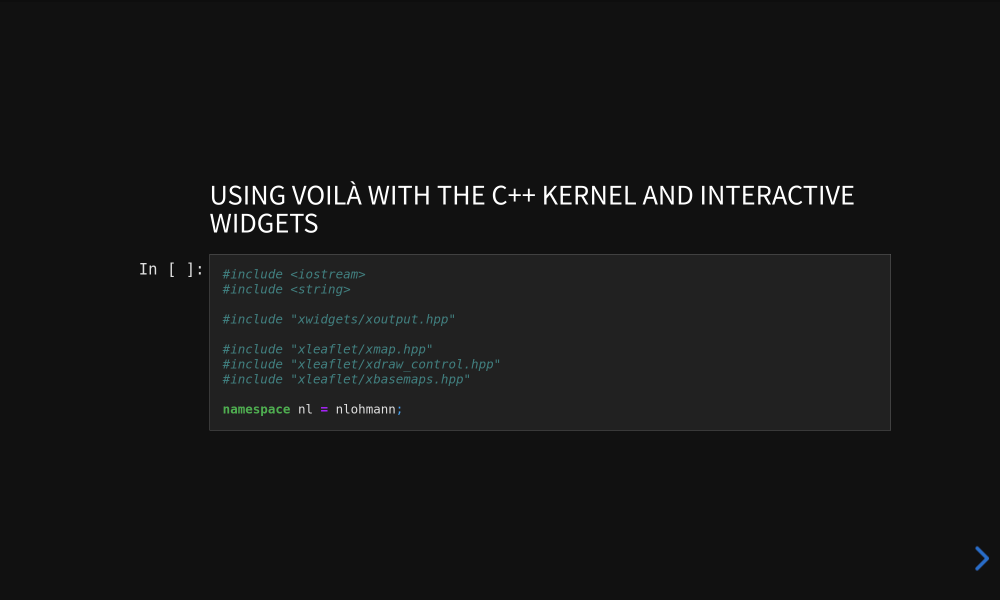
This demonstrates that the nbconvert templating system can be used to completely override how we look at notebook documents. Using metadata, we can even create arbitrary layouts and rich views of the same content.
Where are nbconvert templates installed?
Nbconvert 6 templates are directories containing resources such as jinja templates and other assets. They are installed in the data directory of nbconvert, namely <installation prefix>/share/jupyter/nbconvert.
Running jupyter --paths shows all Jupyter directories and search paths. For example, on Linux, jupyter --paths returns:
$ jupyter --paths
config:
    /home/<username>/.jupyter
    /<sys-prefix>/etc/jupyter
    /usr/local/etc/jupyter
    /etc/jupyter
data:
    /home/<username>/.local/share/jupyter
    /<sys-prefix>/share/jupyter
    /usr/local/share/jupyter
    /usr/share/jupyter
runtime:
    /home/<username>/.local/share/jupyter/runtime
In our case, only the data section is relevant. Listing the content of <sys-prefix>/share/jupyter/nbconvert/templates in a raw installation of nbconvert will show
$ ls <sys-prefix>/share/jupyter/nbconvert/templates
asciidoc base classic compatibility html lab latex markdown python reveal rst script
The base template should not be used directly, but is typically inherited from. Thecompatibility directory provides some content for backward compatibility with earlier verions of nbconvert. Three templates are available for the HTML exporter: lab, classic, and reveal.
The content of nbconvert templates
The conf.json file
Nbconvert templates all include a conf.json file used to indicate the base template that it is inheriting from, the mimetype corresponding to that template (which determines which exporters are compatible with it, and which file is the entry point), and preprocessors to run when using that template before running the exporter. For example, inspecting the configuration of the reveal template we see that
- it inherits from the
labtemplate, - exports
text/html, and therefore will only work with the HTML and WebPDF exporters. - and runs two preprocessors called
100-pygmentsand500-reveal:
{
  "base_template": "lab",
  "mimetypes": {
    "text/html": true
  },
  "preprocessors": {
    "100-pygments": {
      "type":         "type": "nbconvert.preprocessors.CSSHTMLHeaderPreprocessor",
        "enabled": true
    },
    "500-reveal": {
      "type": "nbconvert.exporters.slides._RevealMetadataPreprocessor",
      "enabled": true
    }
  }
}
- The
CSSHTMLHeaderPreprocessorinlines the CSS required for the syntax highlighting of input cells. - The
RevealMetadataPreprocessormassages the notebook metadata and consumes the information required to set up the layout of the slideshow.
Nbconvert walks up the inheritance structure determined by conf.json and produces an agregated configuration, merging the dictionaries of registered preprocessors. The ordering of the preprocessor names determines the order in which they will be run.
Jinja templates
Besides the conf.json file, nbconvert templates most typically include jinja templates files. They may also override files from the base templates, or provide extra content.
For example, inspecting the content of the classic template located in share/jupyter/nbconvert/templates/classic, we find the following content:
share/jupyter/nbconvert/templates/classic
├── static
│   └── styles.css
├── conf.json
├── index.html.j2
└── base.html.j2
we see that it includes the index.html.j2 jinja template (which is the main entry point for HTML exporters) as well as CSS and a base template file in base.html.j2. The only preprocessor listed in conf.json is the pygments syntax highlighting…
Inheritance in Jinja
In nbconvert, jinja templates can inherit from any other jinja template available in its current directory or base template directory by name. Jinja templates of other directories can be addressed by their path from the Jupyter data directory. Using the path is also useful when using a jinja template that may be overriden locally.
For example, in the reveal template, index.html.j2 extends base.html.j2 which is in the same directory, and base.html.j2 extends lab/base.html.j2. This approach allows using content that is available in other templates or may be overriden in the current template.
Building a custom template
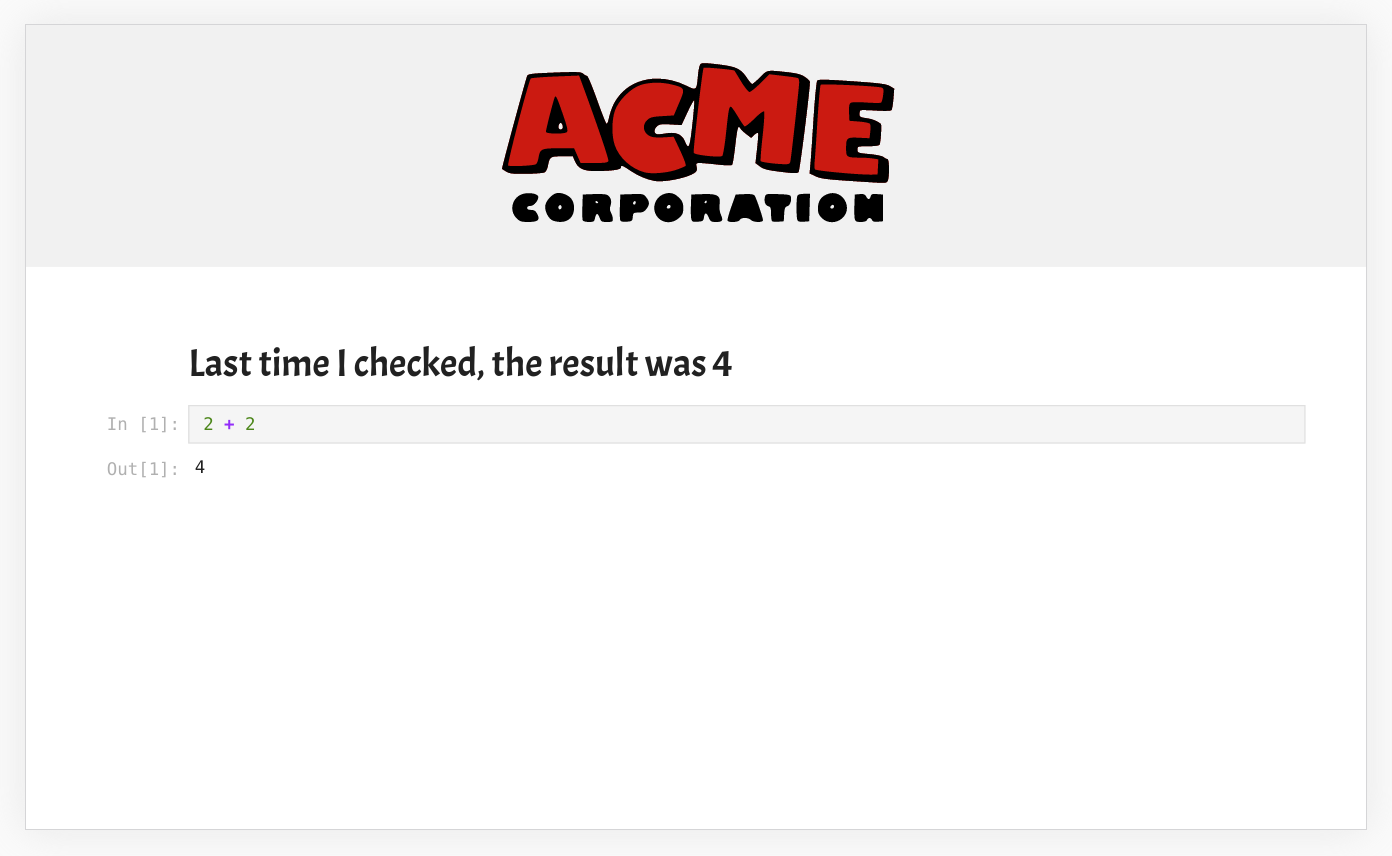
Now, let’s create a custom template! If you work at ACME Corporation, you may want to create a template that follows the graphical charter of ACME Corp, and includes the logo in a banner.
Besides the logo, titles should also use the “ACME Regular” font, which has a cartoon-style look. The other parts of the template are inherited from the regular lab template.
Setting up a logo banner, and the font change, the acme nbconvert template produces the following result with a very simple notebook:
jupyter nbconvert acme.ipynb --to html --template acme
Now you can create sophisticated templates making use of sophisticated front-end framework and processing the notebook metadata in creative ways!
The source for the ACME nbconvert template is available here.
Beyond the template files inshare/jupyter/nbconvert/acme, the repo provides the logic for packaging this template into a PyPI wheel with data files. You will also find content related to the use of that template with Voilà, which is the subject of the next section.
From nbconvert templates to Voilà templates

Voilà turns Jupyter notebooks into standalone web applications and dashboards.
It differs from nbconvert in that the output web application is connected to a Jupyter kernel, allowing it to respond to user input through widget controls and other UI components, while with nbconvert, any action that requires a roundtrip to the kernel will not work.
However, Voilà leverages the nbconvert template system to benefit from their flexibility in overriding the front-end looks and behavior. From a user standpoint, the system is made so that the same templates will be usable for both systems.
However, template authors interested in advanced features of Voilà may be interested in the following information.
Where are Voilà templates installed?
- Voilà templates are installed in the
<installation prefix>/share/jupyter/voiladirectory (while nbconvert templates are in<installation prefix>/share/jupyter/nbconvert). - Just like nbconvert templates, Voilà templates are directories, they use the same
conf.jsonconfiguration mechanism. - Voilà can use nbconvert HTML templates without modification.
- When there exists an nbconvert and a Voilà template of the same name, the conf.json files are recursively merged, as well as the content of the directory, with a higher precedence for the Voilà template.
Overriding nbconvert templates with Voilà
When specifying the acme template that we developed earlier, with command
voila xleaflet.ipynb --template acme
Voilà will look pick up the acme nbconvert template. Since this template inherits from lab and Voilà has an overridden lab template (with e.g. the logic for rendering widgets), it will pick up the Voilà flavor of the lab template. Most typically, the Voilà flavor of a template does not add much on top of nbconvert besides boilerplate such as
- a call to the macro that includes the JavaScript assets for the Voilà front-end logic.
- calls to macro related to error logging when using the Voilà preview.
- calls to macros related to the progressive rendering of notebooks as it is being executed, and the display of an “in-progress” spinner.
These macros are provided in the base Voilà template, and can also be overridden in derived templates.
Future developments
In the coming weeks and months, we plan on polishing the experience of nbconvert users.
- JupyterLab 3, which should be released shortly, includes a more dynamic extension system which does not require the main JupyterLab application to be rebuilt. We plan on adding support for a category of lab extensions called “mime renderers“ which are used for rich rendering of data in cell outputs. This should enable the use of complex mime types such as GeoJSON or Vega visualizations in nbconvert and Voilà.
- We are working on improving the
revealtemplate, to include a custom reveal theme making use of JupyterLab CSS variables, so that it can be easily combined with JupyterLab themes. - The JupyterLab 3 extension system may also enable us to enable third-party JupyterLab themes in nbconvert.
- The WebPDF exporter should expose options on output format and where page breaks should be. At the moment, we prevent page breaks until the maximum dimensions of PDF documents are reached.
Acknowledgements
Many people were involved in the nbconvert 6 release! The full list of contributors is available here.
- Among them, we are especially indebted to Maarten Breddels, who was the main architect of the new template system.
- We owe the split of the execute preprocessor and the new nbclient package to Matthew Seal and David Brochart. Matthew took on a large amount of maintenance work on the project over the past year.
The work on Voilà and nbconvert by the QuantStack team was funded by Bloomberg.
About the Author
Sylvain Corlay is the CEO of QuantStack, an open-source software development team specialized scientific computing comprising maintainers of major projects of the ecosystem.
As an open-source developer, Sylvain is mostly active in the Jupyter ecosystem, and the general PyData stack. He is currently a steering committee member for Project Jupyter, and a member of the board of directors of NumFOCUS.