
On-demand Notebooks with JupyterHub, Jupyter Enterprise Gateway and Kubernetes
by: Luciano Resende, Kevin Bates, Alan Chin
Jupyter Notebook has become the “de facto” platform used by data scientists to build interactive applications and to tackle big data and AI problems.
With the increased adoption of Machine Learning and AI by enterprises, we have seen more and more requirement to build analytics platforms that provide on-demand notebooks for data scientists and data engineers in general.
This article describes how to deploy multiple components from the Jupyter Notebook stack to provide an on-demand analytics platform powered by JupyterHub and Jupyter Enterprise Gateway on a Kubernetes cluster.
On-Demand Notebooks Infrastructure
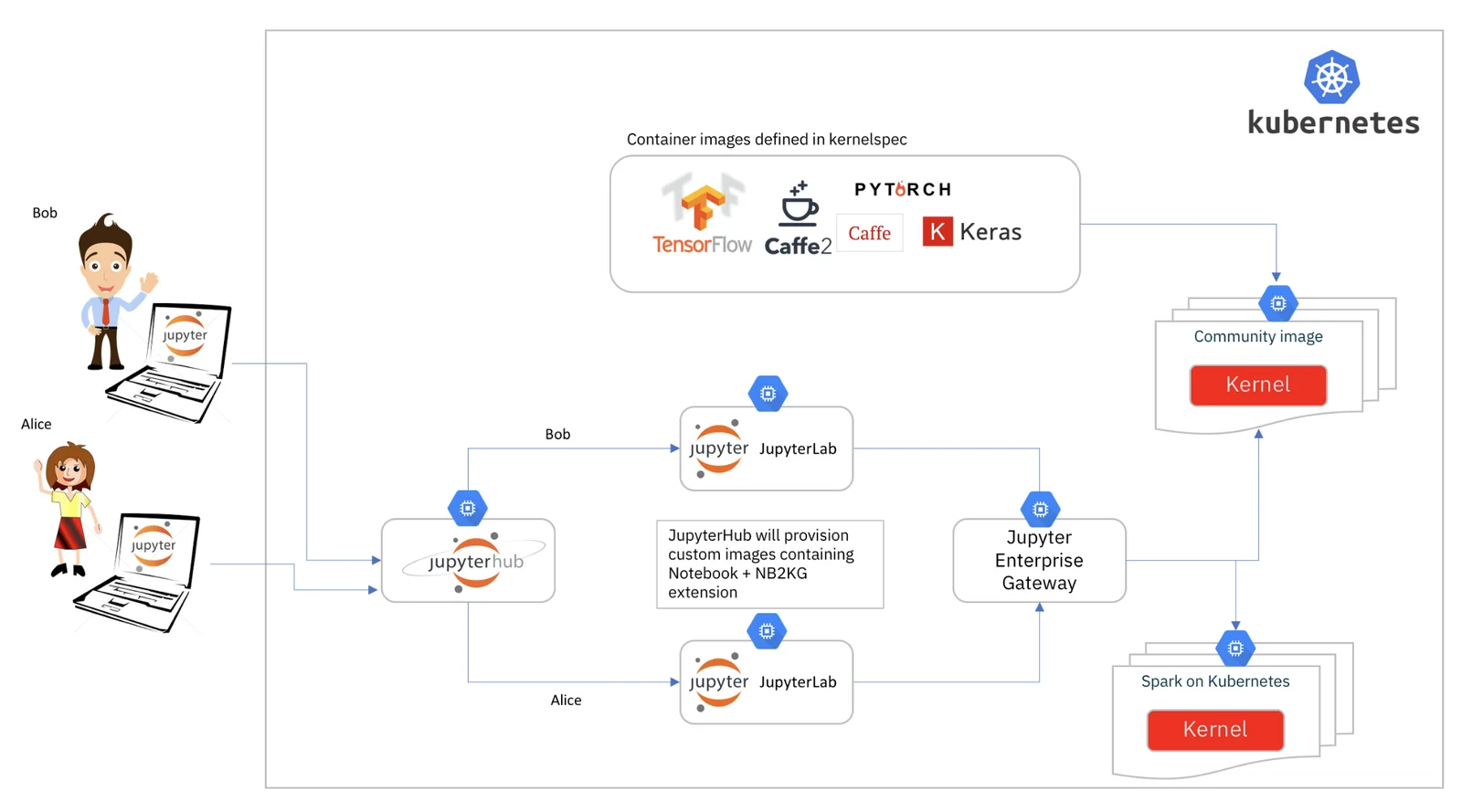
Below are the main components we are going to use to build our solution, and its high-level description:
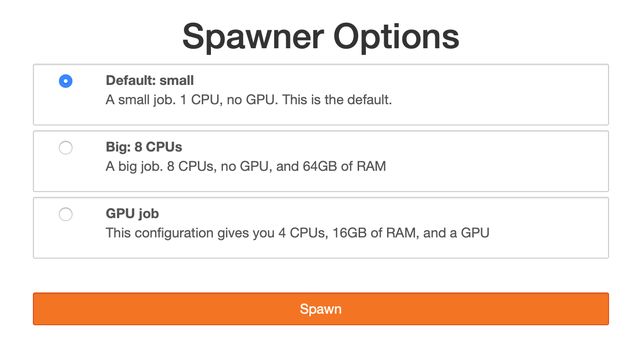
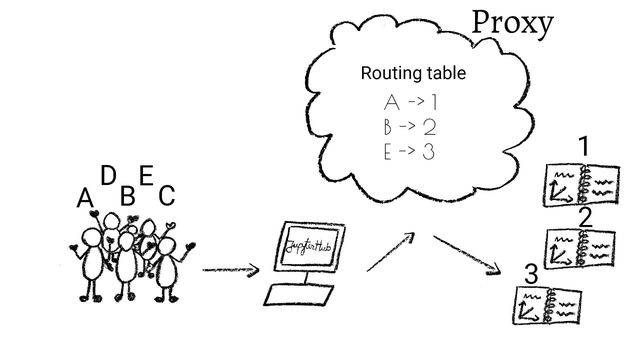
JupyterHub enables the creation of a multi-user Hub which spawns, manages, and proxies multiple instances of the single-user Jupyter Notebook server providing the ‘as a service’ feeling we are looking for.
Jupyter Enterprise Gateway provides optimal resource allocations by enabling kernels to be launched in its own pod enabling notebook pods to have minimal resources while kernel specific resources are allocated/deallocated accordingly to its lifecycle. It also enables the base image of the kernel to become a choice.
Kubernetes enables easy management of containerized applications and resources with the benefit of Elasticity and multiple other quality of services.
JupyterHub Deployment
JupyterHub is the entry point for our solution, it will manage user authorization and provisioning of individual Notebook servers for each user.
JupyterHub configuration is done via a config.yaml, and the following settings are required:
- Enable custom notebook configuration (coming from the customized user image).
hub:
  extraConfig: |-
    config = '/etc/jupyter/jupyter_notebook_config.py'
- Define the docker image to be used when instantiating the notebook server for each user
- Define custom environment variables used to connect the Notebook server with Jupyter Enterprise Gateway to enable support for remote kernels
singleuser:
  image:
    name: elyra/nb2kg
    tag: dev
  storage:
    dynamic:
      storageClass: nfs-dynamic
  extraEnv:
    KG_URL: <FQDN of Gateway Endpoint>
    KG_HTTP_USER: jovyan
    KERNEL_USERNAME: jovyan
    KG_REQUEST_TIMEOUT: 60
The complete config.yaml would look like the one below:
hub:
  db:
    type: sqlite-memory
  extraConfig: |-
    config = '/etc/jupyter/jupyter_notebook_config.py'
    c.Spawner.cmd = ['jupyter-labhub']
proxy:
  secretToken: "xxx"
ingress:
  enabled: true
  hosts:
    - <FQDN Kubernetes Master>
singleuser:
  defaultUrl: "/lab"
  image:
    name: elyra/nb2kg
    tag: 2.0.0.dev0
  storage:
    dynamic:
      storageClass: nfs-dynamic
  extraEnv:
    KG_URL: <FQDN of Gateway Endpoint>
    KG_HTTP_USER: jovyan
    KERNEL_USERNAME: jovyan
    KG_REQUEST_TIMEOUT: 60
rbac:
  enabled: true
debug:
  enabled: true
Detailed deployment instructions for JupyterHub can be found at Zero to JupyterHub for Kubernetes, but the command below would deploy it into a Kubernetes environment.
helm upgrade --install --force hub jupyterhub/jupyterhub --namespace hub --version 0.7.0 --values jupyterhub-config.yaml
Custom JupyterHub user image
By default, JupyterHub would deploy a vanilla Notebook Server image which will require that all resources ever used by the image to be allocated when the Kubernetes image is instantiated.
Our custom image will enable kernels to be started in its own pod, promoting a better resource allocation as resources can be allocated and freed up as needed. This also gives us the flexibility of supporting different frameworks for different notebooks (e.g. a notebook using Python and TensorFlow, while another is using Python and Caffe2).
- Dockerfile for elyra-nb2kg custom image:
FROM jupyterhub/k8s-singleuser-sample:0.7.0
# Do the pip installs as the unprivileged notebook user
USER $NB_USER
ADD jupyter_notebook_config.py /etc/jupyter/jupyter_notebook_config.py
# Install NB2KG
RUN pip install --upgrade nb2kg && \
    jupyter serverextension enable --py nb2kg --sys-prefix
- Jupyter Notebook custom configuration to override Notebook handlers with the ones from NB2KG that will enable the notebook to connect with the Enterprise Gateway that enables remote kernels.
from jupyter_core.paths import jupyter_data_dir
import subprocess
import os
import errno
import stat
c = get_config()
c.NotebookApp.ip = '*'
c.NotebookApp.port = 8888
c.NotebookApp.open_browser = False
c.NotebookApp.session_manager_class = 'nb2kg.managers.SessionManager'
c.NotebookApp.kernel_manager_class = 'nb2kg.managers.RemoteKernelManager'
c.NotebookApp.kernel_spec_manager_class = 'nb2kg.managers.RemoteKernelSpecManager'
# https://github.com/jupyter/notebook/issues/3130
c.FileContentsManager.delete_to_trash = False
# Generate a self-signed certificate
if 'GEN_CERT' in os.environ:
    dir_name = jupyter_data_dir()
    pem_file = os.path.join(dir_name, 'notebook.pem')
    try:
        os.makedirs(dir_name)
    except OSError as exc:  # Python >2.5
        if exc.errno == errno.EEXIST and os.path.isdir(dir_name):
            pass
        else:
            raise
    # Generate a certificate if one doesn't exist on disk
    subprocess.check_call(['openssl', 'req', '-new',
                           '-newkey', 'rsa:2048',
                           '-days', '365',
                           '-nodes', '-x509',
                           '-subj', '/C=XX/ST=XX/L=XX/O=generated/CN=generated',
                           '-keyout', pem_file,
                           '-out', pem_file])
    # Restrict access to the file
    os.chmod(pem_file, stat.S_IRUSR | stat.S_IWUSR)
    c.NotebookApp.certfile = pem_file
Note that the document above was generated by jupyter notebook --generate-config and then updated with the required handlers override:
c.NotebookApp.session_manager_class = 'nb2kg.managers.SessionManager'
c.NotebookApp.kernel_manager_class = 'nb2kg.managers.RemoteKernelManager'
c.NotebookApp.kernel_spec_manager_class = 'nb2kg.managers.RemoteKernelSpecManager'
Jupyter Enterprise Gateway deployment
Jupyter Enterprise Gateway enables Jupyter Notebook to launch and manage remote kernels in a distributed cluster, including Kubernetes cluster.
Enterprise Gateway provides a Kubernetes deployment descriptor that makes it simple to deploy it on a Kubernetes environment with the command below:
kubectl apply -f https://raw.githubusercontent.com/jupyter-incubator/enterprise_gateway/master/etc/kubernetes/enterprise-gateway.yaml
We also recommend that the kernel images be downloaded on all nodes of the Kubernetes cluster to avoid delays/timeouts when launching kernels for the first time on these nodes.
docker pull elyra/enterprise-gateway:dev
docker pull elyra/kernel-py:dev
docker pull elyra/kernel-tf-py:dev
docker pull elyra/kernel-r:dev
docker pull elyra/kernel-scala:dev
Automated One-Click Deployment using Ansible
If you are eager to get started and try this in a few machines, we have published anansible script that deploys the full set of components described above on vanilla RHEL machines/VMs.
ansible-playbook --verbose setup-kubernetes.yml -c paramiko -i hosts-fyre-kubernetes
Conclusion
Jupyter Enterprise Gateway provides remote kernel management to Jupyter Notebooks. In a JupyterHub/Kubernetes environment, it enables hub to launch tiny Jupyter Notebook pods and only allocate large kernel resources when these are created as independent pods. This approach also allows for easy sharing of expensive resources as GPUs, etc
Special Thanks
Special thanks to Erik Sundell and Min RK from the JupyterHub team for the support and initial discussions around JupyterHub.