
JupyterLab is Ready for Users
We are proud to announce the beta release series of JupyterLab, the next-generation web-based interface for Project Jupyter.
tl;dr: JupyterLab is ready for daily use (installation, documentation, try it with Binder)
The Evolution of the Jupyter Notebook
Project Jupyter exists to develop open-source software, open standards, and services for interactive and reproducible computing.
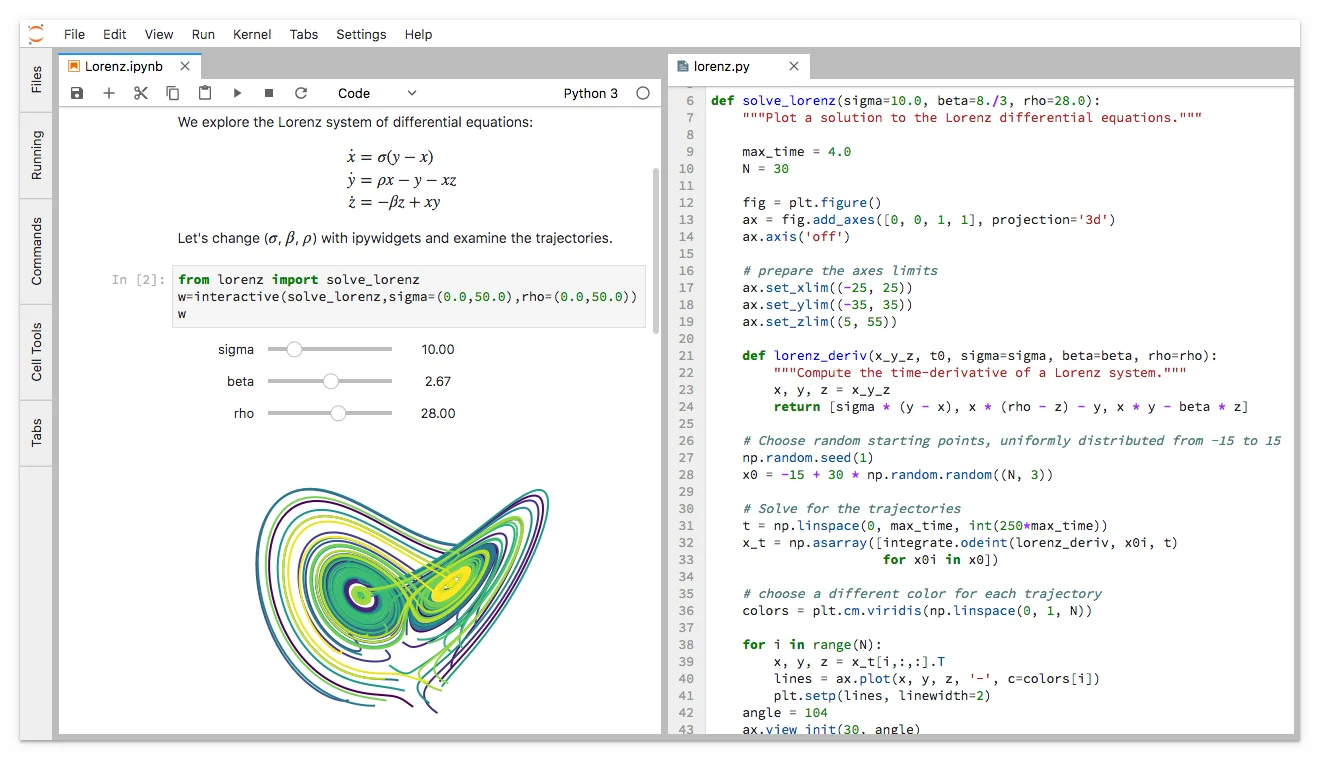
Since 2011, the Jupyter Notebook has been our flagship project for creating reproducible computational narratives. The Jupyter Notebook enables users to create and share documents that combine live code with narrative text, mathematical equations, visualizations, interactive controls, and other rich output. It also provides building blocks for interactive computing with data: a file browser, terminals, and a text editor.
The Jupyter Notebook has become ubiquitous with the rapid growth of data science and machine learning and the rising popularity of open-source software in industry and academia:
- Today there are millions of users of the Jupyter Notebook in many domains, from data science and machine learning to music and education. Our international community comes from almost every country on earth.¹
- The Jupyter Notebook now supports over 100 programming languages, most of which have been developed by the community.
- There are over 1.7 million public Jupyter notebooks hosted on GitHub. Authors are publishing Jupyter notebooks in conjunction with scientific research, academic journals, data journalism, educational courses, and books.
At the same time, the community has faced challenges in using various software workflows with the notebook alone, such as running code from text files interactively. The classic Jupyter Notebook, built on web technologies from 2011, is also difficult to customize and extend.
JupyterLab: Ready for Users
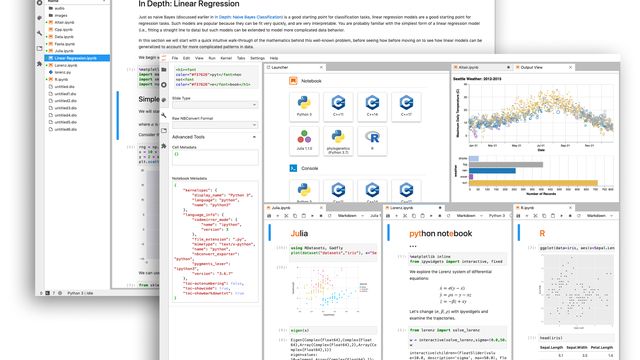
JupyterLab is an interactive development environment for working with notebooks, code and data. Most importantly, JupyterLab has full support for Jupyter notebooks. Additionally, JupyterLab enables you to use text editors, terminals, data file viewers, and other custom components side by side with notebooks in a tabbed work area.
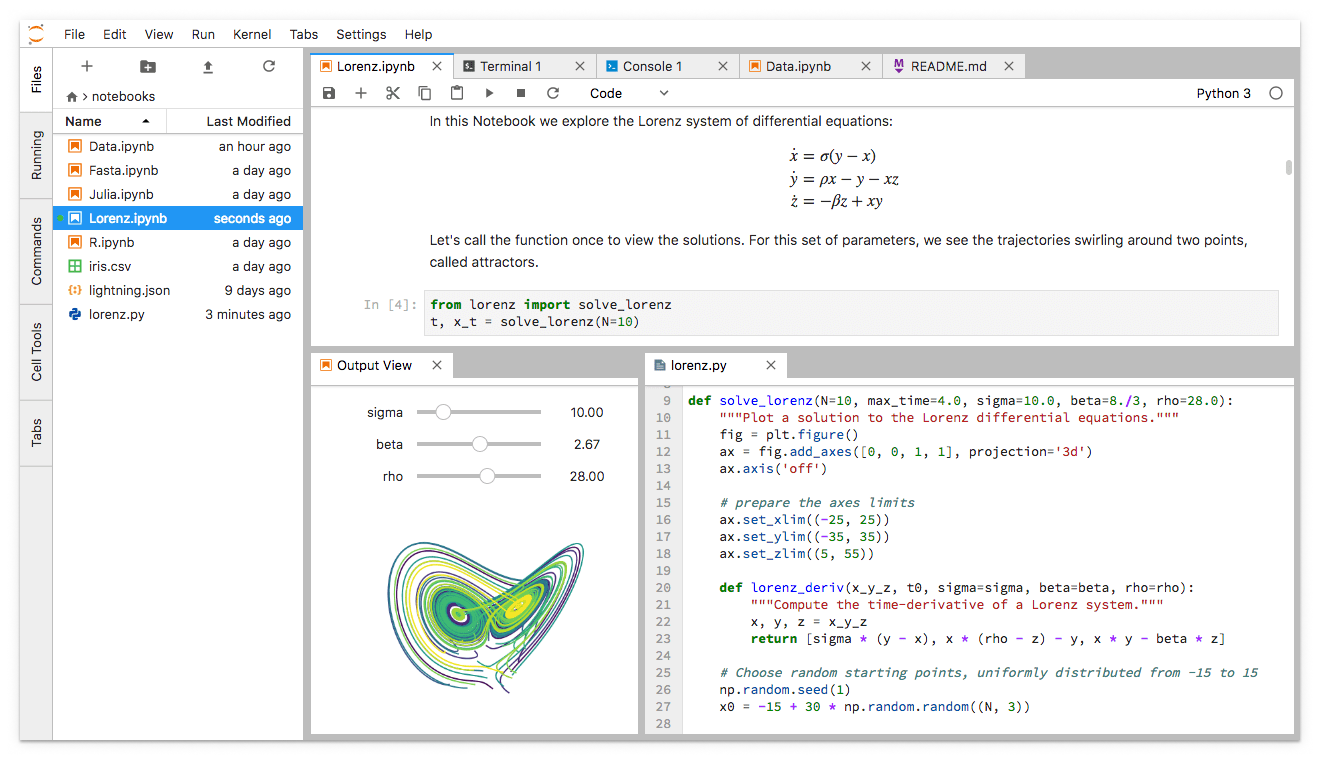
JupyterLab provides a high level of integration between notebooks, documents, and activities:
- Drag-and-drop to reorder notebook cells and copy them between notebooks.
- Run code blocks interactively from text files (.py, .R, .md, .tex, etc.).
- Link a code console to a notebook kernel to explore code interactively without cluttering up the notebook with temporary scratch work.
- Edit popular file formats with live preview, such as Markdown, JSON, CSV, Vega, VegaLite, and more.
JupyterLab has been over three years in the making, with over 11,000 commits and 2,000 releases of npm and Python packages. Over 100 contributors from the broader community have helped build JupyterLab in addition to our core JupyterLab developers.
To get started, see the JupyterLab documentation for installation instructions and a walk-through, or try JupyterLab with Binder. You can also set up JupyterHub to use JupyterLab.
Customize Your JupyterLab Experience
JupyterLab is built on top of an extension system that enables you to customize and enhance JupyterLab by installing additional extensions. In fact, the builtin functionality of JupyterLab itself (notebooks, terminals, file browser, menu system, etc.) is provided by a set of core extensions.
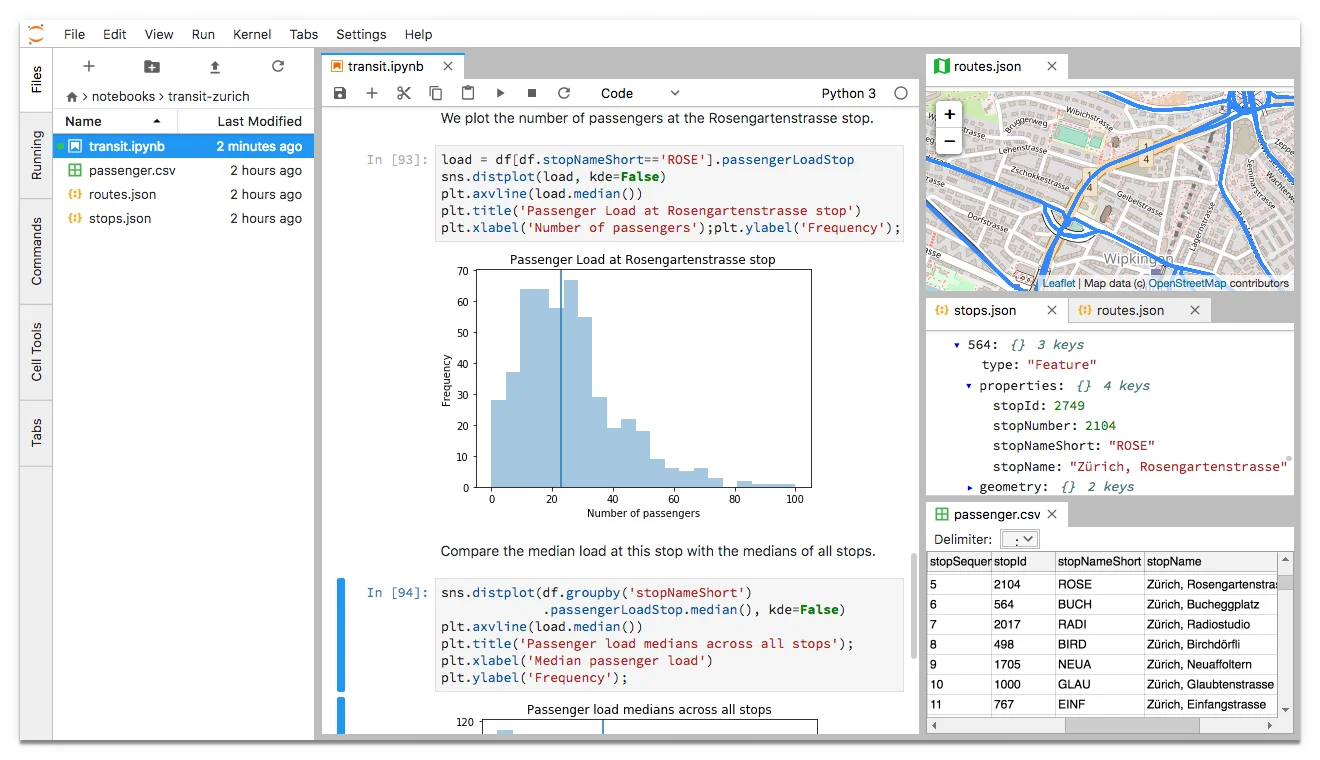
Among other things, extensions can:
- Provide new themes, file editors and viewers, or renderers for rich outputs in notebooks;
- Add menu items, keyboard shortcuts, or advanced settings options;
- Provide an API for other extensions to use.
Community-developed extensions on GitHub are tagged with the jupyterlab-extension topic, and currently include file viewers (GeoJSON, FASTA, etc.), Google Drive integration, GitHub browsing, and ipywidgets support.
Develop JupyterLab Extensions
While many JupyterLab users will install additional JupyterLab extensions, some of you will want to develop your own. The extension development API is evolving during the beta release series and will stabilize in JupyterLab 1.0. To start developing a JupyterLab extension, see the JupyterLab Extension Developer Guide and the TypeScript or JavaScript extension templates.
JupyterLab itself is co-developed on top of PhosphorJS, a new Javascript library for building extensible, high-performance, desktop-style web applications. We use modern JavaScript technologies such as TypeScript, React, Lerna, Yarn, and webpack. Unit tests, documentation, consistent coding standards, and user experience research help us maintain a high-quality application.
JupyterLab 1.0 and Beyond
We plan to release JupyterLab 1.0 later in 2018. The beta releases leading up to 1.0 will focus on stabilizing the extension development API, user interface improvements, and additional core features. All releases in the beta series will be stable enough for daily usage.
JupyterLab 1.0 will eventually replace the classic Jupyter Notebook. Throughout this transition, the same notebook document format will be supported by both the classic Notebook and JupyterLab.
Get Involved
There are many ways you can participate in the JupyterLab effort. We welcome contributions from all members of the Jupyter community:
- Use our extension development API to make your own JupyterLab extensions. Please add the jupyterlab-extension topic if your extension is hosted on GitHub. We appreciate feedback as we evolve toward a stable API for JupyterLab 1.0.
- Contribute to the development, documentation, and design of JupyterLab on GitHub. To get started with development, please see our Contributing Guide and Code of Conduct. We label issues that are ideal for new contributors as “good first issue” or “help wanted”.
- Connect with us on our GitHub Issues page or on our Gitter Channel. If you find a bug, have questions, or want to provide feedback, please join the conversation.
We are thrilled to see how you use and extend JupyterLab.
Sincerely,
The JupyterLab Team and Project Jupyter
We thank Bloomberg and Anaconda for their support and collaboration in developing JupyterLab. We also thank the Alfred P. Sloan Foundation, the Gordon and Betty Moore Foundation, and the Helmsley Charitable Trust for their support.
[1] Based on the 249 country codes listed under ISO 3166–1, recent Google analytics data from 2018 indicates that jupyter.org has hosted visitors from 213 countries.
[2] Data visualized in this screenshot is licensed CC-BY-NC 3.0. See http://datacanvas.org/public-transportation/ for more details.